
Direct integration with email metadata allows Claude to identify senders and timestamps when processing complex inbox searches. As professionals navigate the landscape of 2026, the demand for seamless transitions between artificial intelligence and communication platforms has reached a critical peak. Anthropic has responded to this need by evolving Claude from a sophisticated text predictor into a functional agent capable of interacting with the most fundamental tool of modern business: the email inbox. By moving beyond simple text generation, these integrations allow for a level of context-awareness that was previously impossible. Users are no longer required to manually feed information into the model; instead, the model understands the nuances of ongoing threads, historical data, and recipient relationships. This shift marks a significant milestone in the journey toward agentic AI, where the primary objective is to reduce the friction between conceptualizing a message and actually delivering it to the intended recipient. Through the use of official connectors and advanced APIs, the process of managing communications has become more of a collaborative effort between human oversight and machine precision, ensuring that clarity and productivity remain at the forefront of digital operations.
1. Generate a Draft and Send Manually
Effective utilization of Claude for email communication begins with providing the model with exceptionally clear instructions and detailed context. For those who send a moderate number of daily messages, the most reliable method remains the manual generation of drafts. To achieve the best results, the prompt must include the specific identity of the recipient, the overarching purpose of the correspondence, and the subtle nuances of the desired professional tone. For instance, rather than simply asking for a follow-up email, a user should specify that the message is a polite inquiry to a client who has not responded to a project timeline update in over a week. This level of detail allows Claude to structure the subject line, the formal greeting, and the body paragraphs in a way that aligns with existing corporate standards. By providing these specific parameters, the user ensures that the AI captures the necessary professional distance or warmth required for the situation, reducing the need for extensive revisions during the final review phase.
Once Claude has generated the proposed text, the next stage involves the physical transfer of the content into a dedicated email client. The user must highlight the generated output, copy it, and paste it directly into the compose window of an application like Gmail or Outlook. This step provides a critical moment for human oversight, allowing the sender to verify that the information is accurate and that no sensitive or irrelevant data has been accidentally included. During this phase, it is essential to check for placeholders or bracketed text that Claude might have inserted, such as dates or specific names that require manual confirmation. This manual delivery method serves as an excellent entry point for individuals who want to leverage AI for creativity and structural assistance without surrendering full control over their communication channels. It maintains a necessary “human-in-the-loop” dynamic, ensuring that every message sent carries the definitive approval of the account holder while benefiting from the linguistic sophistication of the Claude model.
2. Utilize Official Email Connectors
For a more integrated experience that minimizes the need for switching between browser tabs, official email connectors provide a direct bridge between the Claude.ai interface and primary communication accounts. Activating these connectors requires navigating to the “Customize” or “Connectors” section within the platform settings. Users can select from a list of supported providers, including Gmail, Microsoft 365, and Hostinger Mail, to begin the synchronization process. For corporate environments, specifically those utilizing Team or Enterprise plans, the initial enablement must often be performed at the organizational level by an administrator. This centralized control ensures that data privacy standards are maintained across the company and that only authorized mailboxes are linked to the AI environment. Once the connection is initiated, the system prompts the user to sign in and grant specific permissions, allowing Claude to securely access the necessary metadata and message contents required to perform advanced functions like thread summarization and search.
Building on this integrated foundation, users can issue direct commands that allow Claude to perform complex tasks without leaving the chat interface. A user might request that Claude find the last five emails regarding a specific budget proposal or ask it to draft a reply to a particular thread from a colleague. The AI identifies when a query pertains to email and utilizes the connector to pull in the relevant data, such as subject lines, timestamps, and attachment details. Depending on the specific connector and the permissions granted, Claude can either save these generated responses directly into the “Drafts” folder of the connected account or, if “write tools” are fully enabled by an administrator, dispatch the message to the recipient immediately. This functionality is particularly transformative for meeting preparations or managing high-volume inboxes, as it allows the AI to act as a triage assistant that organizes information and prepares responses based on real-time data from the user’s actual communication history.
3. Implement Automation Platforms
When the objective is to handle repetitive communication tasks without any manual intervention, automation platforms like Zapier, Make, or n8n offer a robust solution. This approach begins by defining a specific trigger that initiates the workflow, such as a new submission on a contact form or a specific keyword appearing in a Slack channel. By setting up these rules, a business can create a system where data flows seamlessly from a point of entry to the Claude model for processing. For example, when a potential lead submits an inquiry through a website, the automation tool captures that data and sends a tailored prompt to Claude, instructing it to write a personalized welcome message based on the lead’s specific interests and industry. This method ensures that responses are generated in real-time, significantly reducing the delay between a customer’s initial contact and the company’s first professional touchpoint, all while maintaining a high standard of personalization that traditional templates cannot provide.
The final stage of this automated workflow involves the delivery of the Claude-generated response through a connected email provider. After the AI has processed the information and created the message body, the automation platform takes that output and passes it to the user’s Gmail or Outlook account for transmission. This multi-step process allows for sophisticated logic, such as routing different types of inquiries to different email addresses or logging the entire interaction in a CRM like Salesforce or HubSpot. While this method requires more initial configuration and potentially a paid subscription to an automation service, it provides a level of scalability that manual drafting cannot match. By 2026, many organizations have transitioned to these types of “invisible” workflows, where the AI acts as a backend engine for customer service and internal reporting, ensuring that communication remains consistent and timely regardless of the volume of incoming data.
4. Create a Custom Developer Workflow
For organizations with high-volume needs or those requiring bespoke functionality, building a custom developer workflow using APIs represents the ultimate tier of control. This process generally necessitates a dedicated hosting environment, such as a Virtual Private Server (VPS), which remains operational around the clock to manage incoming and outgoing data streams. Developers use this infrastructure to run custom code that acts as the intermediary between Claude’s intelligence and the external world. By utilizing the Claude API, the application can send structured prompts to the model and receive perfectly formatted email text in return. This setup is particularly effective for businesses that need to integrate AI communication into their own proprietary software or mobile applications, allowing them to maintain a consistent brand experience while leveraging Anthropic’s most advanced linguistic capabilities for every sent message.
Integrating a specialized delivery service is the final technical hurdle in a custom developer workflow. Rather than relying on a consumer-grade inbox, developers often turn to API-based email services like SendGrid, Mailgun, or Hostinger Agentic Mail to physically dispatch the messages. These services are designed for reliability and deliverability, providing detailed analytics on open rates, bounces, and click-through metrics. By connecting the Claude API with an agentic email service, a developer can create autonomous agents that not only send emails but also monitor for replies and trigger subsequent actions based on the sentiment or content of the incoming response. This creates a fully closed-loop system where the AI can manage an entire conversation from start to finish, provided it remains within the guardrails and logic defined by the development team. Such systems are foundational for the next generation of AI-driven support desks and automated outreach programs.
5. Use Hostinger Mail Connector: Specific Steps
Users who rely on Hostinger Mail for their professional communication can take advantage of a streamlined setup through the official Hostinger Mail connector found in the Claude directory. The process begins by locating the specific Hostinger Mail option within the app directory and initiating the link by clicking the “Connect” button. This action triggers a secure authorization sequence that directs the user to the Hostinger dashboard. Once there, the user must sign in and grant the necessary permissions for Claude to interact with the chosen mailbox. This direct integration is designed to bypass the complexities of manual server configuration, providing a user-friendly path for non-technical individuals to empower their inboxes with AI capabilities. By 2026, these types of one-click integrations have become the standard for professional mail services, prioritizing ease of use without compromising the deep access required for effective message management.
Once the link between Hostinger Mail and Claude is established, the user can issue specific commands to manage their correspondence directly from the chat interface. A user can tell Claude to send an update to a client or to search the inbox for a specific invoice from the previous month. The connector allows Claude to perform comprehensive actions, including reading the contents of folders, inspecting metadata, and managing message states like marking emails as read or unread. This is particularly useful for users who want to use Claude as a proactive personal assistant. For example, a professional could ask Claude to summarize all unread messages from a specific domain and then draft a single response that addresses the core questions raised in all of them. This integration ensures that the user can stay focused on the conversation at hand while the AI handles the logistical heavy lifting of navigating the mailbox and formatting outgoing messages.
6. Ensure Security and Operational Reliability
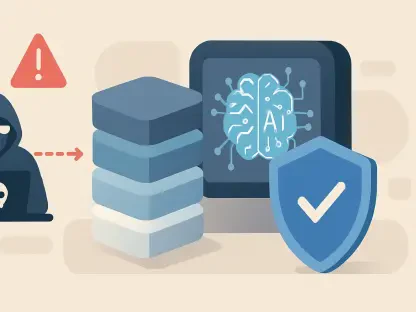
The successful implementation of AI-driven email communication depended heavily on the establishment of robust security protocols and operational safeguards. As the adoption of these technologies expanded, the necessity of protecting domain reputation became a primary concern for IT departments. Organizations realized that allowing an AI to handle an outbox without strict parameters could lead to unintended consequences, such as the accidental transmission of inaccurate data or the triggering of spam filters. Consequently, the use of allow and block lists became a standard practice, ensuring that AI agents could only contact verified domains and recipients. These safety measures, combined with the regular review of automated drafts, provided a layer of defense that prevented the most common pitfalls of early autonomous communication. Security teams also prioritized the mitigation of prompt injection risks, where malicious actors attempted to manipulate the AI’s behavior through hidden instructions in incoming messages, by implementing rigorous data cleaning and validation routines.
Reflecting on the progress made, the integration of Claude into email workflows transformed how professional communication was managed and executed. The transition toward agentic email provided a clear distinction between one-to-many marketing campaigns and the highly personalized, one-to-one interactions handled by AI agents. Developers and administrators who maintained detailed logs of every AI-sent message were able to identify and resolve formatting issues and content errors before they impacted client relationships. Furthermore, the practice of rotating API tokens and securing server environments ensured that the infrastructure supporting these agents remained resilient against unauthorized access. This period of rapid evolution demonstrated that when AI was paired with proper human oversight and strategic technical controls, it became an indispensable asset for modern business. The lessons learned during this time served as a foundation for even more advanced autonomous systems, proving that the synergy between machine intelligence and secure communication was the key to unlocking new levels of organizational efficiency.