
The Boogie Down emote is automatically granted to Battle Royale players as a free reward immediately after they finalize their account security settings. Beyond the aesthetic appeal of a new dance, this implementation serves as a critical barrier against unauthorized access and potential account hijacking in an era where digital identities carry immense value. In the competitive landscape of 2026, where sophisticated phishing attempts and credential stuffing attacks have become increasingly prevalent, Two-Factor Authentication (2FA) acts as the primary defense mechanism for any serious gamer. It ensures that even if a password is compromised, an additional layer of verification is required to gain entry to the account. This requirement is not merely optional for those looking to engage fully with the Fortnite ecosystem, as specific features like gifting items and participation in high-stakes tournaments are strictly restricted to verified accounts. The integration of such security measures has become standard practice across major gaming platforms, yet the process remains a point of confusion for many newcomers and veteran players alike who may have neglected their settings over the last few years. By prioritizing these configurations, players protect their investment of time and money while gaining access to the full suite of social and competitive features that define the modern gaming experience.
1. General Fortnite 2FA Activation
The foundational step toward a secure gaming environment involves navigating the web-based architecture of the Epic Games ecosystem, as these settings are not managed directly within the game client on consoles or mobile devices. This centralized approach allows for a single security profile to manage access across multiple platforms including PlayStation, Xbox, and the Nintendo Switch. To turn on 2FA for your account, follow these instructions on the official Epic Games site: 1. Access your profile: Log in at epicgames.com using the credentials you use for Fortnite. 2. Navigate to settings: Go to your Account dashboard and pick “Password & Security.” 3. Locate the 2FA areMove down the page to the Two-Factor Authentication block. 4. Choose a technique: Click “Set Up” beside the specific verification method you prefer. 5. Validate the link: Input the security string you receive to finalize the connection. This systematic method ensures that the account holder maintains total control over how their identity is verified during the login process, preventing unauthorized users from making changes to account details or accessing stored payment methods.
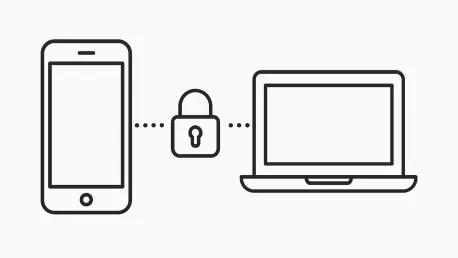
Understanding the logic behind the multi-step verification process reveals why digital platforms have moved away from reliance on simple passwords alone. In 2026, the complexity of cybersecurity threats necessitates a multi-layered defense strategy where various independent factors are used to prove identity. By linking a physical device or a verified email address to an account, the user creates a “something you have” component that complements the “something you know” component of a traditional password. This architecture significantly reduces the success rate of automated bot attacks which often rely on leaked databases of login information. Once the initial setup is complete, the platform typically saves the verified status of a device, meaning that players are not constantly interrupted by verification prompts unless a suspicious login attempt occurs or they access their account from an entirely new hardware configuration. This balance between high-level security and user convenience represents the current gold standard for protecting digital assets in the gaming industry. Furthermore, the activation of these protocols often triggers automated reward systems that acknowledge the player’s commitment to safety, reinforcing positive digital hygiene through tangible in-game benefits.
2. Activating an Authenticator App
For players seeking the highest level of security, an authenticator app is widely considered the most robust option because it does not rely on cellular networks or email server uptime. This method generates a rotating code every 30 seconds on your smartphone, providing a time-sensitive key that is nearly impossible for hackers to intercept remotely. To implement this, follow these steps: 1. Download a tool: Install a program like Google Authenticator or Microsoft Authenticator from your app store. 2. Initiate setup: Click “Set Up” next to the authenticator app choice on the Epic security page. 3. Link the account: Open your mobile app and add a new entry. 4. Capture the image: Use your phone to scan the QR code displayed on the website. 5. Sync the code: Enter the digits shown in the app into the website’s verification field. 6. Retain recovery keys: Save the provided emergency backup codes in a secure location. This process creates a direct cryptographic link between the mobile device and the Epic Games account, ensuring that the physical phone becomes the literal key to the digital kingdom.
The utility of an authenticator app extends beyond mere convenience; it serves as a fail-safe against the growing threat of SIM swapping and email hijacking. Unlike SMS-based codes, which can sometimes be redirected by exploiting vulnerabilities in telecommunications infrastructure, TOTP (Time-based One-Time Password) codes are generated locally on the device hardware. This means that even if an attacker manages to port a player’s phone number to a new SIM card, they still would not have access to the authentication codes required to log in. Players must be diligent about the final step of the setup, which involves recording backup codes. These single-use strings are the only way to regain account access if the mobile device is lost, stolen, or damaged beyond repair. Storing these codes in a physical safe or a secure, encrypted password manager is a vital part of a comprehensive security strategy. By adopting this technology, gamers align themselves with professional-grade security standards used by financial institutions and major technology firms, ensuring that their rare skins and earned currency remain under their exclusive control regardless of external threats.
3. Activating Email Verification
Email verification remains a popular choice for many players due to its accessibility and the fact that most users already have an active email account associated with their gaming profile. This sends a unique login code directly to your registered email address every time a new login is attempted from an unrecognized source. To enable this, follow these instructions: 1. Check your profile: Visit your Account page. 2. Confirm your identity: If your email isn’t verified, click the “resend link” notification and follow the instructions in the email Epic sends you. 3. Toggle the setting: Go back to “Password & Security” and click “Set Up” for the email option. 4. Finalize the link: Retrieve the code from your inbox and type it into the prompt. This method is particularly useful for those who may not always have a smartphone available or those who prefer to manage their digital security through a centralized communication hub. It provides a significant upgrade over a single-password system without requiring the installation of additional third-party software.
While email verification is convenient, its effectiveness is directly tied to the security of the email account itself. If a player uses the same password for both their gaming account and their primary inbox, a single compromise could lead to a total loss of digital assets. Therefore, it is highly recommended that players also enable multi-factor authentication on their email provider to ensure that the delivery of security codes remains uncompromised. In 2026, many email providers have integrated advanced filtering to ensure that these verification messages do not end up in spam folders, but players should still be aware of the potential for slight delays in delivery during peak server hours. The simplicity of this method makes it an excellent secondary or backup option for those who primarily use an authenticator app but want an alternative way to access their account if their primary device is unavailable. This layered approach to redundancy ensures that account owners are never locked out of their progress while maintaining a formidable barrier against unauthorized intruders.
4. Activating SMS Verification
SMS verification is a direct and efficient way to receive security codes, utilizing the ubiquitous nature of mobile text messaging to verify identity. This sends a text message containing a code to your mobile device, which must be entered into the login screen to proceed. To set this up, users should follow these steps: 1. Start the process: Click “Set Up” beside the SMS selection. 2. Provide your number: Type in your mobile phone number and hit “Continue.” 3. Verify the message: Enter the code sent to your phone into the “Verification Code” box. 4. Complete the task: Click “Enable SMS Authentication.” This method is favored for its simplicity, as it does not require an internet connection on the mobile device or the downloading of a specific application. It relies on the cellular network to deliver the necessary credentials, making it a reliable option for players in areas with stable mobile coverage.
However, players should be aware that SMS-based authentication is subject to certain regional restrictions and carrier policies that may affect its availability. In some jurisdictions, telecommunications regulations or technical limitations may prevent the delivery of automated security messages from international servers. Additionally, this method is generally not available for Cabined Accounts, which are specialized accounts for younger players designed to provide a safer, more restricted experience. For those who can use it, SMS verification provides a tangible sense of security, as the physical vibration of the phone provides immediate notification of any login attempt. This real-time awareness allows players to react quickly if they receive a code they did not request, indicating that their password may have been compromised. By immediately changing their password in such a scenario, users can thwart a hijacking attempt before the intruder can even reach the second step of the verification process, effectively turning their mobile phone into a personal security alarm.
5. Activating the Epic Authenticator
The Epic Authenticator represents a modern, streamlined approach to account security by integrating verification directly into the official mobile app ecosystem. This uses a “one-tap” approval system via the official Epic Games mobile app, removing the need to manually type in six-digit codes. To activate this feature: 1. Get the software: Install the Epic Games app on your mobile device. 2. Sign in: Launch the app and log into your Epic account. 3. Trigger the feature: Tap “Enable Epic Authenticator” or find it under the “Auth” tab. 4. Follow the guide: Go through the remaining on-screen prompts until the status reads “Enabled.” 5. Grant permissions: Turn on notifications so you can approve logins instantly. This method leverages the biometric security features of modern smartphones, such as fingerprint or facial recognition, to add an even deeper layer of personal verification to the login process.
The primary advantage of using the native authenticator is the reduction of friction during the login experience. When a player attempts to sign in on their PC or console, a push notification appears on their phone asking for confirmation. With a single tap, the login is authorized, making it the fastest 2FA method currently available for the platform. This tight integration also allows the system to provide more context about the login attempt, such as the approximate geographic location and the type of device being used. If a player receives a request from a different city or a device they do not own, they can deny the request with a single touch, immediately locking out the potential intruder. This proactive security model is a hallmark of the 2026 digital landscape, where the speed of response is often the difference between a secure account and a stolen one. By utilizing the platform’s own tools, players ensure maximum compatibility and receive the fastest updates to security protocols as they are released.
6. Setting Up 2FA for Console Players (PlayStation, Xbox, Switch)
Many console enthusiasts play for years without realizing that their game progress is often tied to a “headless” account that has not been fully registered with an email and password on the developer’s website. If you play on a console and haven’t linked a full Epic account, use these steps to ensure your security settings are properly applied: 1. Clear your session: Sign out of epicgames.com on your web browser. 2. Choose your platform: On the login page, click the icon for your specific console network (PSN, Xbox, or Nintendo). 3. Log in: Enter the credentials you use for that console’s network. 4. Provide details: If prompted to “Finish Setting Up Your Account,” enter an email address and other required info. 5. Enable security: Navigate to “Password & Security” and follow the general activation steps. This process bridges the gap between the console’s local identity and the developer’s global security infrastructure, ensuring that skins and progress are protected by more than just the console’s basic password.
Once the account is fully linked and 2FA is active, the security benefits extend across the entire cross-platform ecosystem. A player who enables 2FA on their web account will find that their PlayStation or Xbox login is now significantly more secure, as the account linking creates a unified security perimeter. This is especially important in 2026, as cross-play has become the standard and players frequently move between different hardware platforms. Without a centralized 2FA setup, a vulnerability on one platform could potentially expose the entire account. Furthermore, finishing the account setup allows console players to access the web-based store and participate in community events that were previously inaccessible. It also ensures that if a console is lost or a player decides to switch brands, their hard-earned progress and cosmetic items can be easily recovered and moved to the new system. This step is often the most overlooked part of the security process, but it is essential for anyone who views their gaming as a long-term hobby rather than a temporary distraction.
7. Updating Your Phone Number for SMS
Maintaining accurate and up-to-date contact information is a vital component of long-term account security, especially when relying on SMS-based verification. If you get a new number, you must swap it in your settings immediately to avoid being locked out of your account when the system attempts to send a code to a disconnected line. To update this information: 1. Visit security settings: Open the “Password & Security” section of your account. 2. Discard the old number: Click the three dots next to the SMS method and select “Remove Method.” 3. Verify removal: Confirm your choice to delete the old link. 4. Add the new number: Click “Set Up,” input your current phone number, and hit “Continue.” 5. Finalize: Enter the new text code and click “Enable SMS Authentication.” This simple maintenance task prevents the frustration of losing access to a valued profile during a routine transition between phone carriers or devices.
The necessity of updating phone information highlights the broader need for regular security audits by the player. In 2026, people change mobile numbers and email addresses more frequently than in previous decades, and failing to synchronize these changes with digital accounts can lead to complex recovery scenarios. It is recommended that players check their security dashboard at least once every six months to ensure that all linked devices and contact methods are current. If a player finds themselves without access to their old number before they can change the setting, they should utilize their backup codes or email verification to gain entry and perform the update. This proactive approach to account management ensures that security measures remain a help rather than a hindrance. By treating digital security as an ongoing process rather than a one-time task, players can enjoy a seamless and safe gaming experience, knowing that their access remains uninterrupted regardless of changes in their personal technology or service providers.
Securing the Future of Digital Assets
The implementation of Two-Factor Authentication represented a major milestone in protecting the community from the rising tide of digital theft and unauthorized access. By following the systematic steps to enable an authenticator app, email verification, or SMS alerts, players successfully fortified their accounts against the most common vectors of cyberattacks. This shift toward mandatory security for specific in-game features was instrumental in creating a safer environment for trading, gifting, and competitive play. The Boogie Down emote stood as a permanent symbol of this commitment to safety, serving as both a reward and a reminder of the importance of digital hygiene. Players who took these steps discovered that the small investment of time yielded significant peace of mind, as the threat of losing years of progress was effectively neutralized by these modern cryptographic barriers.
Moving forward, the focus transitioned from initial setup to long-term maintenance and the adoption of even more advanced verification technologies. Users were encouraged to regularly review their authorized devices and refresh their backup codes to ensure they remained prepared for any technical issues. The integration of biometric data and hardware security keys emerged as the next logical step for those seeking even greater protection for high-value accounts. For anyone who has not yet finalized these settings, the immediate priority was to visit the account management portal and choose the method that best fit their lifestyle. By staying informed about new security updates and maintaining current contact information, the community ensured that their digital legacy remained secure for years to come. Taking action today remains the most effective way to prevent future complications and enjoy the full range of features offered by the platform.