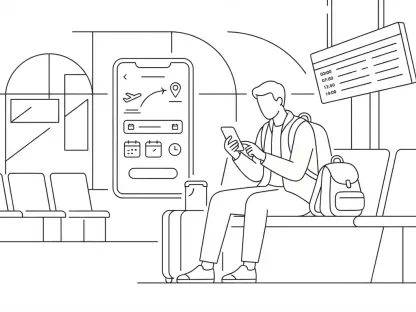

A simple request to enter a meeting ID on a sign-in page is often the first step in a lateral movement attack within a corporate network. As of 2026, the cybersecurity landscape has seen a significant shift in how threat actors, including sophisticated groups like the sub-clusters of Midnight Blizzard, exploit legitimate features to gain unauthorized access. Device code phishing is not a technical vulnerability in the traditional sense, but rather a clever manipulation of the OAuth 2.0 device authorization grant. This protocol was originally designed to facilitate easy logins for devices with limited input capabilities, such as smart televisions, printers, or Internet of Things hardware. By initiating a sign-in session on their own hardware and generating a short alphanumeric code, an attacker can trick a target into validating that session on a genuine Microsoft login page. The beauty of this deception lies in its simplicity: the victim is directed to a legitimate Microsoft URL, meaning standard advice to check for domain spoofing often fails to protect the user. Because the victim performs the multi-factor authentication themselves, the attacker bypasses traditional security barriers without ever needing to know the user’s password.
The prevalence of this technique has grown alongside the availability of sophisticated phishing-as-a-service kits such as EvilTokens and Tycoon2FA, which have lowered the barrier to entry for cybercriminals. Throughout the current year, security vendors have documented a surge in activity, particularly targeting sectors like telecommunications, defense, and higher education. These campaigns often involve elaborate social engineering, where attackers build rapport on messaging platforms like WhatsApp or Microsoft Teams before delivering the malicious “meeting invitation.” The primary objective is to obtain high-value access and refresh tokens. Once these tokens are secured, the adversary can maintain a persistent presence, often outlasting a simple password change. Understanding the mechanics of this flow is essential for modern digital hygiene, as it requires a departure from traditional “look for the lock icon” training. Instead, users must be trained to recognize the context of the request, questioning why a meeting or a file share would ever require a device-level authorization code on a separate login screen.
1. The Mechanics: Understanding Device Authorization
The underlying technology being exploited is a legitimate convenience feature known as the Microsoft identity platform’s device authorization grant. In its intended use case, a user might see a code on their television screen and be prompted to visit a specific Microsoft website on their smartphone to enter that code. This links the television’s session to the user’s authenticated account without requiring the user to type a complex password using a remote control. However, in a phishing scenario, the attacker acts as the “input-constrained device.” They initiate a sign-in request on their own computer, receive a unique code from Microsoft, and then relay that code to a target via an urgent message. The target, believing they are simply joining a digital meeting or accessing a secure document, enters the code on the real Microsoft device login page. Because the user is interacting with a legitimate Microsoft service, their browser displays all the correct certificates and security indicators, making the request appear entirely trustworthy.
Once the user completes the sign-in process, including any required multi-factor authentication steps, the identity provider issues the necessary security tokens to the attacker’s waiting session. These tokens include an access token, which provides temporary entry to the account, and a refresh token, which can be used to generate new access tokens without further user intervention. The danger here is that the attacker effectively “borrows” the user’s authenticated state. They do not need to steal a password or intercept a text message code because the user has already performed those actions on the attacker’s behalf. This technique allows for remarkably quiet entry into corporate environments, where the attacker can then use the Microsoft Graph API to search for sensitive credentials, internal documentation, or administrative details. The persistence of refresh tokens means that unless an administrator specifically revokes the session, the attacker may maintain access for an extended period, regardless of whether the user later changes their password from a different device.
2. Strategic Identification: Spotting the Red Flags
Preventing a device code phishing attack relies heavily on situational awareness and the ability to distinguish between legitimate and malicious requests. The most significant red flag is any unsolicited request to enter a code that you did not personally trigger. In a standard workflow, a device code is only necessary when a device physically in front of you—such as a conference room console or a smart printer—explicitly displays a code and asks you to authorize it. If a code arrives via an email, a chat message, or a calendar invitation, it should be treated as a high-risk security event. Attackers often frame these requests as “Meeting IDs” or “Document Verification Codes” to create a sense of normalcy. However, a legitimate Microsoft Teams meeting or a SharePoint file share will never require you to navigate to a device login page to enter an alphanumeric string. If the login prompt on the screen does not match the specific application you intended to use, it is a clear indicator of a fraudulent attempt.
Furthermore, the language used in these phishing attempts often relies on artificial urgency to bypass the victim’s critical thinking. Messages may claim that a code will expire in mere minutes or that access to a critical corporate resource will be revoked if the verification is not completed immediately. While it is true that Microsoft’s device codes have a default lifetime of about 15 minutes, this urgency is a psychological tool designed to make the user rush through the security prompts. Microsoft explicitly advises users to confirm that the sign-in prompt names the exact application they expect to access. If the prompt shows a generic name or a service that seems unrelated to the task at hand, the user should cancel the process immediately. Maintaining a policy of verifying unusual requests through an alternative communication channel, such as a direct phone call to a known colleague, remains one of the most effective ways to dismantle a social engineering attempt before it gains momentum.
3. Immediate Actions: Updating Shared Credentials
If there is a realization that a password was entered on a suspicious page, the priority must be to secure the account’s credentials immediately. Even though device code phishing often bypasses the need for a password, many phishing kits are designed to harvest as much data as possible, including traditional login details. When updating credentials, it is vital to avoid clicking any links provided in the suspicious email or message, as these could lead to a secondary phishing site. Instead, the user should manually type the official web address of the service provider into their browser’s address bar. For Microsoft accounts, this typically involves navigating to the official security dashboard. Creating a new, robust password that has never been used on any other platform is a fundamental requirement. If the old password was shared across multiple services—such as banking, social media, or other professional tools—each of those accounts must also be updated with unique credentials to prevent a “credential stuffing” chain reaction.
Once the new password is established, the user should leverage built-in security tools to force a clean slate for the account’s active sessions. Most major service providers, including Microsoft, offer a “sign out of all other sessions” or “sign out everywhere” feature within their security settings. This is a critical step because a password change alone does not always invalidate existing session tokens held by an attacker. By selecting this option, the user commands the identity provider to terminate all current connections across all devices, including the attacker’s machine. This process ensures that any unauthorized party is immediately kicked out and forced to attempt a new login, which they will be unable to complete without the new password and a fresh multi-factor authentication challenge. This combined approach of credential renewal and session termination forms the first line of defense in regaining control over a potentially compromised digital identity.
4. Implementation: Resilient Multi-Factor Authentication
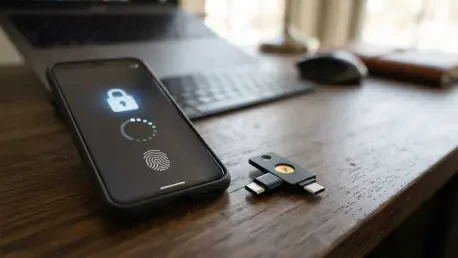
The evolution of phishing techniques has made traditional forms of multi-factor authentication, such as SMS-based codes or voice calls, increasingly vulnerable to interception and bypass. To counter sophisticated attacks like device code phishing, organizations and individuals should transition toward phishing-resistant authentication methods. FIDO2-compliant security keys and passkeys offer a superior level of protection because they are cryptographically tied to the specific website or service for which they were created. Unlike a six-digit code that can be typed into a fake site, a passkey requires a physical or biometric handshake that cannot be easily spoofed or relayed by an intermediary. By implementing these advanced methods, the user ensures that even if an attacker manages to trick them into a login flow, the authentication hardware will recognize the discrepancy and refuse to validate the session.
In addition to upgrading the authentication method itself, it is essential to perform a thorough audit of the account’s recovery and communication settings. Attackers who gain even brief access to an account often attempt to ensure future entry by altering recovery phone numbers, adding secondary “backdoor” email addresses, or setting up silent mail-forwarding rules. These changes allow the adversary to intercept password reset links or monitor sensitive correspondence even after the original entry point is closed. Users should meticulously verify that only their trusted devices and contact points are listed in the account security dashboard. If any unfamiliar email addresses or phone numbers are discovered, they must be removed instantly. Strengthening the secondary factors and verifying the integrity of the recovery infrastructure creates a layered defense that makes it significantly more difficult for an attacker to maintain a long-term foothold within the victim’s digital ecosystem.
5. Proactive Reporting: Flagging and Deleting Threats
When a suspicious email or message is identified, the act of simply deleting it is insufficient for protecting the broader community. Most modern email platforms, such as Outlook and Gmail, utilize sophisticated machine learning algorithms to identify and block phishing campaigns, but these systems rely on user feedback to remain effective. By using the “Report Phishing” or “Report Junk” features, the user provides the platform provider with the necessary data to recognize the patterns, sender addresses, and malicious links associated with the attack. This reporting process helps build a collective defense, potentially preventing the same message from reaching the inboxes of less experienced users. In a corporate environment, this step is even more critical, as it alerts the internal security operations center to an ongoing campaign targeting the organization, allowing them to implement preemptive blocks at the network level.
For employees using work accounts, the reporting process should involve a specific protocol of forwarding the suspicious message as an attachment to the IT or security department. Forwarding as an attachment, rather than a standard forward, preserves the original email headers and metadata, which are essential for security analysts to trace the source of the attack and identify the infrastructure being used by the threat actor. During this process, it is imperative that the user does not engage with the sender, reply to the message, or click on any embedded links or “unsubscribe” buttons, as these actions confirm to the attacker that the email address is active and the recipient is responsive. Once the report has been filed and the security team has acknowledged the information, the message should be permanently deleted from the inbox and the deleted items folder. This ensures that there is no risk of accidental interaction with the malicious content in the future.
6. Mitigating Risks: Comprehensive System Security Scans
While device code phishing primarily targets the account and its associated tokens rather than installing software directly on the hardware, there is often a risk of secondary infection. Many contemporary phishing campaigns are multi-staged, meaning the initial login deception might be accompanied by an attempt to deliver malware or a credential-stealing script. If a user has interacted with a suspicious link and was subsequently prompted to download a file or “update” a browser extension, the risk to the physical device increases dramatically. In such cases, a standard antivirus scan may not be enough to detect sophisticated, low-level threats. It is recommended to perform a comprehensive system scan using a trusted security suite, followed by an offline scan, such as Microsoft Defender Offline. This specialized scan runs in a trusted environment outside the main operating system, allowing it to detect and remove persistent threats that might hide while Windows is running.
Performing an offline scan requires the computer to restart and can take approximately fifteen minutes to complete, so it is important to save all current work before initiating the process. During this time, the security software inspects the boot sector and other critical areas of the system for signs of tampering or unauthorized code. If the scan identifies any malicious files, they should be quarantined or deleted as recommended by the software. Even if no malware is detected, the scan provides a necessary layer of assurance that the device’s integrity remains intact. It is worth noting that a system scan will not “fix” a compromised account; the account-level steps of revoking tokens and changing passwords are still the primary solution for stopping a device code attack. However, ensuring the hardware is clean prevents the attacker from using a compromised machine to re-enter the account or monitor the user’s keystrokes as they set up their new credentials.
7. Corporate Protocols: Notifying the Security Department
In a professional setting, entering a device code into a suspicious prompt is a security incident that must be escalated immediately. The speed of the response often determines the extent of the damage, as attackers move quickly to harvest data or move laterally through the network once they gain initial access. Employees should contact their IT or security department the moment they realize a mistake has been made, providing specific details such as the exact time the code was entered and the nature of the message that prompted the action. This transparency allows security professionals to correlate the incident with logs in the Microsoft Entra admin center, identifying specific “risky sign-ins” or unusual access patterns from anonymous IP addresses. By notifying the experts, the user ensures that the organization can take centralized action to protect not just one account, but the entire corporate infrastructure.
The security team has access to advanced telemetry that an individual user cannot see, such as the specific application IDs used in the authentication flow. For instance, they might look for error code 50199, which often appears when a device code flow is initiated, followed immediately by a successful login. They can also monitor for anomalous behavior through the Microsoft Graph API, such as an unusual volume of email searches for terms like “password,” “admin,” or “confidential.” In many cases, the security department can use automated playbooks to isolate the affected account and prevent it from sending further phishing emails to colleagues. This collaborative approach turns a potential breach into a manageable incident, highlighting the importance of a “no-blame” security culture where employees feel empowered to report errors quickly without fear of retribution, thereby strengthening the organization’s overall resilience against modern cyber threats.
8. Strategic Revocation: Active Sessions and Tokens
One of the most dangerous aspects of a device code attack is the generation of long-lived tokens that bypass the need for a password. To truly stop an attacker who has successfully phished a code, a simple password reset is insufficient; the administrator must perform a strategic revocation of all active session and refresh tokens. This is typically achieved through the Microsoft Entra ID portal or via specific commands in Microsoft Graph, such as the “revokeSignInSessions” call. This action invalidates the current “authenticated” status of the account across all platforms globally. It essentially tells the identity provider to stop trusting any existing tokens associated with that user, forcing anyone—including the attacker—to re-authenticate. Without this step, an attacker who has already secured a refresh token can continue to generate new access tokens and stay logged in even after the user has changed their password.
Furthermore, attackers in 2026 frequently use persistence techniques such as registering their own hardware as a “trusted device” within the victim’s organization. By doing this, they may obtain a Primary Refresh Token, which is a high-level credential that allows for seamless access across various cloud services. Security teams must carefully inspect the list of registered devices in Entra ID to ensure that no new, unrecognized hardware has been added during the period of compromise. If an unauthorized device is found, it must be removed and blocked from the tenant. Only after these tokens have been revoked and suspicious devices removed should the user proceed to log in with their new credentials. This ensures that the attacker’s “backdoor” is firmly closed before the front door is reopened, preventing a cycle where the adversary simply uses their existing session to watch the user update their security settings.
9. Account Restoration: Credential Reset Procedures
Once the security team has confirmed that all malicious sessions have been terminated and the environment is clean, the process of restoring the account can begin. This involves a controlled reset of the account’s password from a known-secure device. It is crucial to perform this reset only after the session revocation has occurred to ensure the attacker cannot use their existing access to interfere with the recovery process. The new password should follow the organization’s complexity requirements and should be entirely unique. In some high-security environments, the user may also be required to re-register their multi-factor authentication methods. This serves as an additional check to ensure that the “something you have” factor—the phone or security key—is still in the possession of the authorized user and has not been duplicated or redirected by the adversary.
Following the password reset, the user should perform a deliberate review of their account’s recent activity logs. This log provides a detailed history of sign-in attempts, including the geographic location, the type of device used, and the IP address of the connection. Identifying successful logins from unexpected countries or service providers can help confirm the scope of the original breach and provide data for future threat hunting. If any suspicious activity is noted that occurred after the initial remediation steps, it indicates that the attacker may have a more persistent foothold, requiring deeper investigation. Consistency in monitoring these logs during the days following an incident is a key part of the restoration phase, as it ensures that the security measures taken have been effective in completely excluding the unauthorized party from the account.
10. Managing Communication: Personal Account Security
When a personal account is targeted by device code phishing, the user must act as their own security administrator. Since there is no corporate IT department to revoke tokens, the user should navigate to their account’s security dashboard and manually utilize the “Sign out of all devices” feature. This is the most effective way to invalidate the tokens an attacker may be holding. After forcing a global sign-out, the user should immediately update their password and review their “Recent Activity” page to confirm that the attacker’s session originated from an unfamiliar location. It is also a prime opportunity to upgrade the account’s security by moving away from SMS codes and toward an authenticator app or a hardware-based passkey. These methods provide a much stronger defense against the types of token-theft attacks that are becoming standard in the current threat environment.
Communication is the final, essential step in managing a personal or professional account recovery. Because attackers often use compromised accounts to send further phishing messages to the victim’s contact list, it is responsible to alert colleagues, friends, and family about the incident. A short, clear message advising contacts to ignore any unusual links or requests sent from the account during the window of compromise can prevent the attack from spreading further. This “community immunity” approach is vital because a message from a trusted contact is far more likely to be successful than one from a stranger. By taking these steps, the user not only secures their own digital life but also acts as a protective barrier for their entire social and professional circle, effectively ending the attacker’s ability to use the stolen access for lateral movement or further exploitation.
11. Strengthening Defenses: Long-Term Security Posture
Looking back at the trajectory of cyber threats over the past several months, the successful mitigation of device code phishing became a cornerstone of modern organizational security. Administrators increasingly adopted a proactive stance by implementing Conditional Access policies that specifically targeted and restricted the device code flow. By auditing the use of this feature, organizations identified which legacy tools actually required it and subsequently blocked the flow for the vast majority of users who had no legitimate need for it. This shift moved the defense from a reliance on user education alone to a structural barrier that simply removed the attack vector from the environment. The implementation of phishing-resistant multi-factor authentication further solidified these defenses, making it nearly impossible for an adversary to relay a login session even if they managed to trick a user with a clever social engineering lure.
In the time since these strategies were widely deployed, the frequency of successful token-theft incidents has notably decreased among organizations that embraced zero-trust principles. Security teams moved away from reactive password resets and toward a more holistic approach that included regular session monitoring and the automated revocation of risky tokens. This evolution in strategy proved that while threat actors will always find new ways to misuse legitimate features, a combination of technical controls and informed user behavior could effectively neutralize the threat. The transition to passkeys and the strict policing of Entra ID device registrations became the standard for digital safety. Ultimately, the lessons learned from the surge in device code phishing led to a more resilient and secure digital ecosystem, where the focus remained on verifying the context of every access request and maintaining the integrity of every authenticated session.