
The modern professional environment generates a staggering quantity of data that quickly overwhelms the limited organizational frameworks of native file management systems. As digital footprints expand in 2026, the reliance on traditional directory structures provided by default operating systems has revealed significant cracks in efficiency. Most users find themselves buried under a mountain of research papers, high-resolution media, and administrative records that lack a unified categorization method. TagSpaces addresses this pervasive issue by introducing a local-first management layer that prioritizes metadata over rigid folder paths. By transforming how users interact with their storage, it provides a flexible environment where data discovery is no longer a manual chore but a streamlined process. This architectural shift allows individuals to regain control over their digital archives without sacrificing privacy or performance. The application effectively serves as a sophisticated intermediary, providing a multidimensional approach to data management by allowing users to overlay a custom tagging layer onto existing files.
Privacy and Local File Control
Maintaining a Privacy-Focused Local Environment
A core pillar of the TagSpaces philosophy is its unwavering commitment to data sovereignty and user privacy in an increasingly connected world. Unlike many productivity applications that mandate cloud synchronization or utilize proprietary online databases, TagSpaces operates entirely on the user’s local machine. This offline-first approach ensures that sensitive information, such as financial records or legal documents, is never transmitted to external servers or subjected to the risks of third-party breaches. By keeping all indexing and tagging data stored locally, the system provides a secure sanctuary for professionals who must adhere to strict confidentiality protocols. The architecture is designed to respect the boundaries of the local file system, ensuring that the user remains the sole owner and guardian of their information at all times without any hidden telemetry or cloud-based data harvesting.
The security benefits of this local-first model extend beyond simple privacy to encompass long-term data accessibility and resilience against service outages. In an era where software-as-a-service platforms can disappear or change terms of service overnight, TagSpaces offers a stable alternative that does not rely on an active internet connection to function. This autonomy is particularly valuable for researchers or field workers who may operate in environments with limited connectivity. Furthermore, because the application does not store data in a proprietary centralized database, the risk of data corruption leading to a total loss of information is significantly mitigated. The focus on local control aligns with modern data protection standards, offering peace of mind to individuals who prioritize the integrity and physical location of their digital assets over the convenience of managed cloud services.
Cross-Platform Consistency for Every User
The application is built to be platform-agnostic, maintaining a consistent and intuitive user experience across Windows, macOS, and Linux environments. This cross-platform compatibility ensures that an organizational structure created on one machine remains fully functional and visually identical when accessed from another. By removing the technical barriers associated with specific operating systems, TagSpaces allows for seamless transitions between different hardware setups, which is essential for modern hybrid work models. Whether a user is performing heavy data curation on a Linux workstation or presenting files from a MacBook, the interface and tagging logic remain stable. This consistency reduces the cognitive load associated with switching tools and ensures that productivity is maintained regardless of the underlying hardware or operating system version used by the professional.
Beyond individual convenience, the platform-agnostic nature of the software facilitates easier collaboration within teams that utilize diverse technical setups. When a project folder is shared via a local network or physical drive, the embedded metadata and tagging structures are preserved across different machines. This prevents the common problem where organizational efforts are lost because a colleague uses a different file manager or operating system. By standardizing the way files are viewed and categorized across the entire technical landscape of 2026, TagSpaces creates a unified language for file management. This approach naturally leads to more efficient workflows where team members can spend less time explaining where files are located and more time focusing on the actual content of their projects, regardless of whether they prefer the open-source flexibility of Linux or the streamlined design of macOS.
Innovative Tagging and Metadata Strategies
1: How Does the Filename Renaming Method Work?
By default, TagSpaces utilizes a highly innovative renaming method that embeds tags directly into the filename of the object being managed. For instance, a document originally titled “Contract_Draft” might be automatically renamed to “Contract_Draft[urgent, legal]” when specific tags are applied within the interface. This approach ensures maximum portability, as the tags are no longer dependent on a separate database or sidecar file to be recognized. Because the metadata is part of the file string itself, these tags remain searchable by any standard operating system search tool or third-party utility, even if the TagSpaces application is not installed on the system. This transparency eliminates the risk of vendor lock-in, guaranteeing that the organizational work performed today will remain accessible and useful across different platforms and software ecosystems for years to come.
While the renaming method offers unparalleled portability, users should consider the technical implications of modifying file strings in complex production environments. Changing a filename essentially changes its path, which can occasionally disrupt links in legacy software, automated scripts, or complex creative projects that rely on static naming conventions. However, for the vast majority of administrative and research tasks, the benefits of universal searchability far outweigh these specific drawbacks. The system is designed to be intuitive, allowing users to see their organizational status at a glance without even opening a specialized viewer. By leveraging the existing capabilities of file systems to store information in the name itself, TagSpaces turns every file into a self-describing asset that carries its own context wherever it is moved or shared across the digital world.
2: How Does the Sidecar File Method Work?
For professionals who require their original filenames to remain completely untouched, TagSpaces offers an alternative strategy known as the sidecar file method. This approach involves the creation of a hidden subfolder, typically named with a specific prefix like .ts, within each directory managed by the application. Inside this hidden folder, the system generates small JSON files that store the metadata, tags, and descriptions for each corresponding file in the main directory. This keeps the primary file structure clean and is ideal for developers, web designers, or video editors whose workflows depend on maintaining exact filenames for linking and cross-referencing purposes. By separating the metadata from the raw file data, TagSpaces provides a sophisticated layer of organization that does not interfere with the underlying requirements of specialized production software.
The primary trade-off with the sidecar method involves the portability of the tagging data, as the metadata is essentially a secondary attachment to the main file. If a file is moved to a new location using a standard file explorer rather than the TagSpaces interface, the link to its sidecar data may be severed unless the entire hidden directory is moved alongside it. This makes the sidecar method more suited for localized project management where files stay within a consistent folder hierarchy. Despite this limitation, the method remains a favorite for those who value a pristine file system and need to attach detailed notes or complex tag structures that would be too cumbersome to include in a filename. It represents a versatile solution for users who want the benefits of advanced digital asset management while keeping their actual file-naming conventions strictly aligned with industry standards.
Streamlined Workflow and Productivity Features
Navigating the Integrated User Interface
TagSpaces functions as a powerful lens for your existing folder structure rather than forcing files into a restrictive or proprietary library model. The interface is designed to let users add specific “locations” from their local drives, which the application then indexes and displays in a clean, modern layout. This noninvasive approach allows professionals to maintain their current folder hierarchies while enhancing them with a rich visual layer of tags and priority indicators. The software includes a preconfigured library of tags that cover common needs like project status, dates, and even emojis for quick visual identification. By using these visual cues, users can quickly scan through thousands of files to find exactly what they need based on color-coded priorities or specific project milestones, making the overall navigation process significantly faster.
Efficiency is further enhanced through the implementation of bulk action capabilities and an intuitive drag-and-drop management panel. Users can select hundreds of files simultaneously and apply tags or move them to new locations with a single mouse movement, which is a massive improvement over the tedious manual renaming required in standard file explorers. Additionally, the description feature allows for “glanceable” text summaries to be attached to files, providing immediate context without the need to open the document or media file. This capability is particularly useful for video editors who need to log footage or researchers who want to summarize the findings of a paper. By consolidating these organizational tasks into a single, high-performance interface, TagSpaces reduces the friction of daily data management and allows users to focus on higher-level creative and analytical tasks.
Utilizing Multimedia Previews and Note-Taking
Beyond its core management capabilities, the application acts as a multifunctional productivity suite that eliminates the need to constantly switch between different programs. It features built-in viewers for a wide array of formats, including high-resolution images, PDF documents, and various media files like MP4 and MP3. Users can perform basic edits, such as rotating photos or flipping images, directly within the preview pane, which streamlines the curation process for creative professionals. This internal viewing system is not only faster than launching external applications but also safer, as it prevents the accidental modification of files while browsing. By providing a unified space to view and interact with diverse data types, TagSpaces serves as a centralized hub for content consumption and organization that significantly boosts daily operational speed.
The integration of a robust internal editor for Markdown, HTML, and plain text transforms the file manager into a lightweight but powerful knowledge management system. Users can create notes, project outlines, or to-do lists directly within their project folders, ensuring that documentation is always stored alongside the relevant files. The application even offers a “read-only” mode by default to protect data integrity, requiring a conscious decision to enter edit mode and make changes. This feature set makes TagSpaces an excellent companion for users of external tools like Obsidian, as it can navigate and edit the same Markdown files without the overhead of a full note-taking suite. This convergence of file management and content creation allows for a more holistic approach to digital work, where information and its organizational context are seamlessly intertwined in one workspace.
Advanced Discovery and Version Comparison
1: How Do the Advanced Search Operators Function?
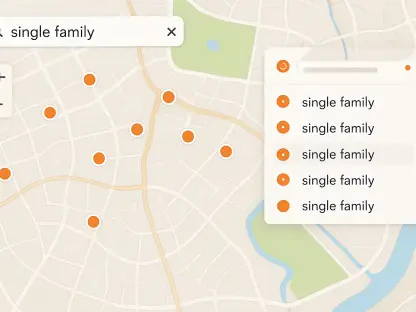
To effectively navigate the massive data volumes typical of 2026, TagSpaces employs a sophisticated search engine that supports complex Boolean operators and detailed scoping. Users can utilize plus and minus signs to include or exclude specific tags from their results, or use vertical bars for logical “OR” operations. This allows for the creation of highly specific queries, such as searching for files tagged with “Invoice” and “2026” but excluding anything marked as “Draft.” The search can be limited to the current folder to reduce noise or expanded to a global scope that spans all connected locations on the machine. This flexibility ensures that whether a user is looking for a single file or trying to compile all assets related to a specific client across multiple drives, the results are delivered with high precision and speed.
Complementing the technical precision of Boolean operators is the application’s implementation of fuzzy matching logic, which is essential for modern data discovery. Fuzzy search allows the system to find relevant files even if the user can only remember a partial fragment of a tag or if there is a slight typo in the filename. This feature is a lifesaver when dealing with large archives where naming conventions may have shifted over time or when a specific project name has slipped from memory. By combining strict logical filtering with adaptable matching, TagSpaces ensures that no file is ever truly lost. The search results are updated in real time as the user types, providing an interactive experience that makes the process of digging through deep directory structures feel effortless and modern, regardless of the total number of files being indexed.
2: Implementing Scalable Solutions for Professional Growth
The economic model of the software is built on a freemium structure that provides the essential tagging and management tools in the Lite version for free while offering enterprise-grade features in the Pro edition. For most individual users, the Lite version is more than sufficient, offering the core filename-based tagging and a wide range of file previews. However, the Pro version caters to power users and organizations that require advanced capabilities like full-text search, which allows the software to index and search the actual content inside PDFs and text documents. This transformation from a simple file tagger to a comprehensive search engine makes it an indispensable tool for legal professionals, researchers, and anyone managing dense textual archives where finding specific mentions within documents is a daily necessity.
The transition to a more structured file management system provides a clear path forward for those struggling with digital clutter. Early adoption of these tools allowed users to establish a foundation of searchable metadata that scaled effortlessly as their projects grew in size and complexity. By moving away from the limited, single-axis organization of folders and embracing a multi-tag approach, professionals found they could locate specific assets in seconds rather than minutes. This change in workflow not only saved time but also reduced the mental fatigue associated with managing vast quantities of data. For anyone ready to take the next step, the process begins with selecting a single project folder, choosing between the renaming or sidecar methods, and gradually applying tags to create a living, searchable archive that will remain useful well into the future of the digital landscape.