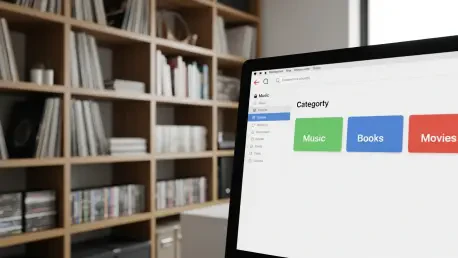

The rapid resurgence of physical media in recent years has left many enthusiasts struggling to maintain order within their growing libraries of discs, books, and vintage collectibles. As digital licensing agreements become increasingly fragile and streaming services frequently rotate content out of availability, the desire for tangible ownership has transitioned from a niche hobby to a necessary safeguard for cultural preservation. However, a massive collection of CDs or graphic novels quickly becomes unmanageable without a centralized digital ledger to track inventory. This is where modern self-hosted solutions bridge the gap between the physical and digital realms, providing a private environment to catalog every item without relying on external corporate platforms. Koillection represents a specialized approach to this challenge, offering a lightweight yet robust architecture specifically designed for the hobbyist who values data sovereignty in the current year 2026.
1. Deploying the Environment and Initializing the Database
Deploying the application requires a basic understanding of containerization, specifically using Docker to create an isolated environment for the software to run. The process begins with the creation of a directory dedicated to the application where all configuration files will reside, ensuring a clean installation. Within this folder, a YAML configuration file, typically named docker-compose.yml, must be authored to define the services and volume mappings necessary for persistent storage. Alongside this file, an environment file named .env is essential for defining sensitive variables such as database credentials and port assignments. Once the configuration files are prepared, the deployment is finalized by executing the docker compose up -d command, which triggers the containers. Users can then access the dashboard through a web browser by navigating to the host IP and port. This specific step sets the stage for the initial user registration and database connection.
Upon the first launch, the system prompts the user to establish their administrative credentials, which serves as the primary security layer for the media database. This initial setup also involves creating what the application identifies as a connection, essentially the main link to the database foundation. Establishing this foundation is a critical step that ensures all subsequent entries are correctly indexed and securely stored within the local infrastructure. Once the connection is active, the user should navigate to the Collections section and select the folder icon to start a new group. This allows for the creation of specific categories such as Graphic Novels or Music Collection to keep various hobbies organized. Assigning clear names to these categories helps in maintaining a logical taxonomy that mirrors the physical shelves. This digital mirror of the physical world not only makes finding items easier but also provides a satisfying visual overview of the progress.
2. Managing the Archive and Strategic Preservation
Entering items into the system is a deliberate process, as the current version of the application does not feature a direct file import tool for spreadsheets or external text files. Consequently, the user must add each piece of media manually, which ensures a high degree of data accuracy. This is performed by typing titles directly into the designated fields or by copy-pasting a list of names from a separate document. To enhance the visual appeal, the application supports automated scrapers. These utilities use JSON configuration files that act as bridges to external databases maintained by Amazon or other major media repositories. Once a scraper is active, it can be used to automatically pull in high-quality cover art and metadata for each item in the list based on its title. This automation significantly reduces the workload while maintaining an aesthetically pleasing catalog. The ability to fetch images automatically ensures that the digital representation remains as impressive as the real shelves.
Beyond inventory tracking, the software provides built-in features to manage the social and financial aspects of collecting, such as monitoring loans and maintaining wish lists. Once the database is populated, users can utilize specific tags to denote the status of each piece, making it easy to identify which friend has borrowed a particular movie or book. This tracking capability prevents the common problem of misplaced items and ensures that the physical collection remains intact over years of sharing with others. Additionally, the wish list functionality allows collectors to plan future purchases and track items they desire to add to their library, helping to curb impulsive buying and focus on high-priority acquisitions. By integrating these management tools into a single platform, the application becomes more than just a list; it evolves into a comprehensive ecosystem for hobbyists. These features provide actionable insights into the collection’s lifecycle regularly and clearly.
The implementation of a self-hosted media management system proved to be a transformative step for those seeking to protect their physical archives from the volatility of digital platforms. By utilizing a containerized environment, the deployment remained isolated and secure, while the manual entry and scraping processes ensured a high-fidelity digital representation of every item owned. Looking ahead, the development of custom scrapers and the potential for decentralized data sharing among enthusiasts promised to further enhance the utility of such tools. As collectors looked toward more sustainable ways to document their hobbies, the shift toward private, locally controlled databases became a cornerstone of modern media preservation. Future maintenance required consistent updates to the scraper JSON files to ensure compatibility with evolving retail APIs. This proactive strategy safeguarded the history of personal collections while providing a framework for managing ownership.