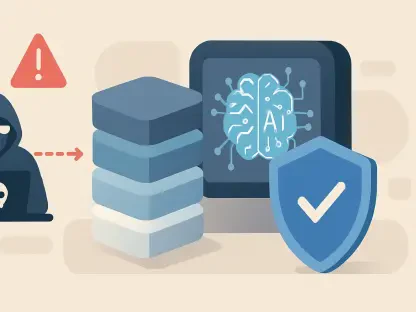

The contemporary digital landscape has reached a point where the convenience of centralized cloud storage often conflicts with the necessity of uncompromising personal privacy. While many users have traditionally gravitated toward subscription-based services that promise ease of use, a growing segment of the population is recognizing the inherent risks of storing every digital key in a single, high-profile target. This paradigm shift has brought local-first solutions like KeePassXC into the limelight, as individuals seek to reclaim ownership of their most sensitive information. By removing the dependency on external servers, this open-source utility provides a robust framework for those who prioritize security over the simplicity of a managed service. This movement represents more than just a change in software choice; it signifies a broader cultural transition toward data sovereignty in an era of constant connectivity and evolving cyber threats. As data breaches become more frequent and sophisticated, the appeal of keeping a password database isolated from the internet becomes increasingly apparent. This approach forces a reevaluation of what constitutes modern security, moving the focus from trusting a third-party corporation to mastering one’s own digital environment. The decision to use a local password manager is an investment in long-term resilience, ensuring that even if a major cloud provider experiences a catastrophic failure, your personal credentials remain safe and accessible.
The Shift: Moving from Cloud Reliance to Local Ownership
The most fundamental distinction between KeePassXC and modern competitors lies in its refusal to utilize a centralized server for data storage. Most popular password management services require the creation of a proprietary account, which subsequently syncs a vault to a company’s infrastructure. While this provides an undeniable level of convenience for synchronization across devices, it also creates a centralized point of failure. KeePassXC operates on a local-only model, where the encrypted database file remains exclusively on the user’s hardware unless they specifically choose to move it. This architecture ensures that there is no “master key” held by a corporation and no massive database of encrypted vaults sitting on a public-facing server. By eliminating the middleman, the software removes the threat of large-scale credential harvesting from a single service provider, which has historically been a significant vulnerability for many cloud-based users.
By maintaining the database on personal hardware, a user effectively eliminates the risks associated with cloud-side vulnerabilities, such as misconfigured buckets or employee-side exploits. In a standard cloud environment, millions of encrypted vaults are often stored in close proximity, creating what security researchers often call a “honey pot.” Even if the encryption is technically sound, the mere existence of such a concentrated target invites constant probing and sophisticated attacks from state actors and cybercriminal organizations. A local-first approach ensures that a personal vault is isolated from the broad internet, meaning a hacker would generally need direct access to a specific device to even attempt a decryption. This shift back to decentralized storage reflects a growing desire for digital autonomy, where the responsibility for security is returned to the owner of the data rather than being outsourced to a third party with misaligned incentives.
Security Architecture: Advanced Encryption and Technical Integrity
Security within the KeePassXC environment is built upon a foundation of industry-standard encryption protocols, including AES-256 and ChaCha20. Unlike many commercial tools that abstract these technical details away to maintain a simplified user interface, this application provides users with granular control over the specific algorithms used to protect their data. This transparency is a hallmark of the open-source philosophy, allowing security professionals and hobbyists alike to verify that the software behaves exactly as described. By offering a choice of encryption ciphers, the software accommodates different hardware capabilities and user preferences, ensuring that the protection of the database is not a “one size fits all” compromise. This level of technical depth ensures that as new cryptographic standards emerge, the software can adapt without requiring a complete overhaul of the user experience.
The implementation of the Argon2 key derivation function represents a significant leap forward in protecting the master password from brute-force attempts. This specific technology is designed to be “memory-hard,” meaning it requires a substantial amount of system memory and computing power to verify a password attempt. This characteristic makes it extremely difficult for attackers to use high-powered graphics cards or specialized hardware to guess millions of password combinations per second. By adjusting the memory and iteration settings, a user can make their database exponentially harder to crack, providing a layer of defense that far exceeds the basic protections found in most web browsers or standard cloud services. This focus on technical robustness demonstrates that the project prioritizes the actual security of the data over the marketing of a “user-friendly” experience that might cut corners on cryptographic rigor.
Functional Flexibility: Versatility Beyond the Web Browser
A common misconception is that local password managers are inherently more difficult to integrate into a modern workflow than their cloud-based counterparts. However, KeePassXC offers a suite of advanced features that often surpass the capabilities of traditional browser extensions. One of the most powerful tools is the Auto-Type function, which allows the software to simulate keyboard input to enter credentials into virtually any application. This capability is not limited to web browsers; it can be used for VPN clients, terminal prompts, database management tools, and proprietary enterprise software that does not support standard autofill APIs. This versatility ensures that the password manager serves as a universal key for the entire operating system, rather than just a tool for navigating the web, making it an essential utility for developers and system administrators.
The application has also evolved to meet modern standards by incorporating full support for passkeys and seamless browser integration through a dedicated extension. This allows users to enjoy a familiar, automated experience when logging into websites while ensuring that the underlying database remains securely on their local machine. By storing passkeys within the encrypted .kdbx file rather than a vendor’s proprietary cloud, users can avoid the ecosystem lock-in often associated with large tech companies. Whether moving between different operating systems or changing primary web browsers, the credentials remain under the user’s control and are not tied to a specific hardware manufacturer or service provider. This independence is crucial for maintaining a flexible digital identity that can survive the shifting tides of the technology industry without requiring a complex migration process.
The Sync Strategy: Solving the Synchronization Challenge
Since there is no central server to facilitate the transfer of data between devices, users must take an active role in how they synchronize their password databases. Many individuals solve this challenge by utilizing peer-to-peer synchronization tools like Syncthing or by hosting their own private cloud storage through platforms like Nextcloud. This method allows for the seamless movement of the encrypted database file across desktops, laptops, and mobile devices without the data ever touching a third-party company’s servers. By managing the synchronization layer independently, the user retains total custody of the file and the encryption keys, ensuring that the privacy of the vault is maintained during transit. This approach requires a bit more initial setup but provides a level of architectural transparency that cloud-only services simply cannot match.
The strength of the KeePass ecosystem is further bolstered by a diverse range of mobile applications that are fully compatible with the standard database format. Users on the Android platform often rely on KeePassDX, while those in the iOS environment frequently utilize Strongbox to access their credentials on the go. These mobile apps are designed to open the same encrypted files used by the desktop version of KeePassXC, creating a unified experience across different hardware platforms. This interoperability is a significant advantage, as it prevents users from being trapped in a single software silo. If one application ceases development or changes its licensing model, the user can simply switch to a different compatible tool without needing to export or re-encrypt their entire password collection, maintaining continuity in their security practices.
Ownership Risks: The Responsibility of Total Data Management
The primary challenge of adopting a local-first security model is the absolute responsibility it places on the individual user. In this decentralized environment, there is no “forgot password” link and no technical support team capable of recovering a lost database or a forgotten master key. If the master password is lost or the primary hardware fails without a backup, the information contained within the vault is permanently inaccessible. This reality necessitates a disciplined and proactive approach to digital hygiene that may be intimidating for those accustomed to the safety nets provided by corporate services. The cost of total privacy is the elimination of external recovery mechanisms, making the user the sole guardian of their digital life and the final authority on their own security.
To mitigate the risks of data loss, a rigorous backup strategy is an essential component of using a local password manager effectively. Adopting the 3-2-1 backup rule—maintaining three copies of the data on two different types of media, with one copy stored at a separate physical location—ensures that a hardware failure or a local disaster does not result in a total loss of credentials. While this requires more effort than relying on a cloud provider’s internal redundancy, it fosters a deeper understanding of data management and personal security. Many users find that the peace of mind gained from knowing exactly where their data is stored and how it is protected is well worth the additional administrative overhead. This transition to self-reliance encourages a more mindful interaction with technology, where security is treated as a continuous process rather than a static product.
Strategic Implementation: Next Steps for Enhanced Security
The transition to a sovereign password management system required a deliberate evaluation of current digital habits and a commitment to long-term data integrity. Users who successfully migrated to KeePassXC often began by auditing their existing credentials and identifying which accounts required the highest level of protection. They then established a primary database file and configured a robust master password, often using a long passphrase to balance security with memorability. By setting up a secondary synchronization method, such as a private server or a dedicated encrypted USB drive, these individuals created a resilient infrastructure that operated independently of any single service provider. This proactive setup provided the necessary foundation for a security model that remained functional and private regardless of external market changes or corporate policy shifts.
Moving forward, the focus shifted toward maintaining this infrastructure through regular security audits and the adoption of emerging standards like hardware security keys for multi-factor authentication. Users integrated YubiKeys or similar devices to add a physical layer of protection to their database, ensuring that even if a master password were compromised, the data remained unreachable without the physical token. They also practiced periodic backup drills to verify the integrity of their archived files, ensuring that the recovery process was well-understood before an actual emergency occurred. By treating password management as a core component of digital literacy, these users effectively insulated themselves from the common vulnerabilities of the centralized web. This disciplined approach transformed security from a passive background task into an active, empowering part of their daily technological engagement.