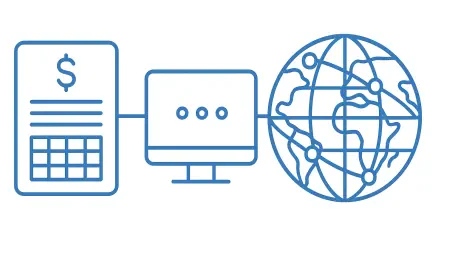

Applying consistent table-level access controls across federated catalogs ensures that sensitive employee information remains protected while still being accessible for analysis. For many years, the primary obstacle for large organizations has been the inherent friction between highly restricted human resources data and the broad analytical requirements of the modern business landscape. The introduction of the Workday Data Connect federation connector for Unity Catalog marks a significant milestone in resolving this dilemma by creating a direct link between Workday Data Cloud and the Databricks Data + AI Platform. This native connector eliminates the necessity for traditional, often brittle, ingestion pipelines by enabling a zero-copy capability. This architectural shift ensures that Workday remains the authoritative system of record while allowing data teams to query financial and people-related data in place. As enterprises transition toward more automated decision-making processes in 2026, the demand for such seamless integration has reached a critical point for maintaining operational transparency and governance.
1. Streamlining Operations Through Data Federation
The operational workflow for the Workday Data Connect federation begins with a coordinated effort to identify and distribute critical data assets across the organization. A Workday administrator first selects specific finance and HR tables within the Workday Data Cloud environment that are intended for broader analysis. Once these tables are identified, the administrator assigns read permissions to a designated Integration System User to ensure that only authorized entities can access the underlying records. Following this initial setup, a Databricks administrator establishes a secure integration by creating an OAuth-based connection. This step is followed by the generation of a foreign catalog within the Unity Catalog environment, which serves as the bridge between the two platforms. This structured approach allows organizations to bypass the complexities of manual data duplication, ensuring that the information utilized by data scientists and business analysts is always current and synchronized with the core HR system.
Once the connection is established, Unity Catalog automatically identifies and resolves the metadata associated with the foreign catalog, which allows Databricks compute resources to fetch records directly from Workday. This synchronization process is designed to be highly efficient, retrieving only the necessary data points without the latency often associated with traditional batch processing. To maintain strict security protocols, a Databricks administrator manages user permissions for the foreign catalog by leveraging the granular table-level security features provided within Unity Catalog. This ensures that sensitive fields, such as salary information or personal identifiers, are only visible to users with the appropriate clearance level. Finally, end-users can execute data analysis by performing standard SQL queries or by exploring the integrated datasets through natural-language interactions using Genie. This capability democratizes data access, allowing non-technical stakeholders to gain insights without needing deep technical knowledge of SQL.
2. Deploying the Connector Within the Enterprise Environment
Implementing the deployment procedures for this connector involves a series of specific configuration steps within both the Workday and Databricks environments. The process begins on the Workday side, where the administrator must activate Workday Data Connect within the tenant settings and publish the desired tables via the Iceberg REST catalog. This modern architectural approach uses an open standard for table formats, ensuring broad compatibility and high performance for analytical workloads. Furthermore, the administrator must set up an API client that utilizes a JWT Bearer Grant. This involves providing a public key and linking an Integration System User with a role that permits read-only access to the shared tables. By using these industry-standard security mechanisms, organizations can ensure that the link between their HR system and their analytics platform is both robust and resistant to unauthorized access attempts. This foundational work is essential for establishing a reliable data stream for future enterprise-wide reporting.
After the Workday configuration is complete, the focus shifts to the Databricks environment to finalize the integration. The Databricks administrator sets up the connection and foreign catalog, subsequently assigning specific user rights to ensure that governance policies are strictly enforced. A significant advantage of this native connector is that Databricks handles the OAuth token exchange with Workday’s catalog automatically, meaning administrators do not need to manage a separate Workday token endpoint. Before the system can go live, it is crucial to verify the system prerequisites, such as ensuring the workspace has Unity Catalog enabled and is utilizing Databricks Runtime 19 or a higher version. During the current Beta phase, a workspace administrator is required to manually toggle the connector on through the Previews settings page. This deliberate setup phase guarantees that the integration is properly tuned for the specific security and performance requirements of the enterprise, paving the way for advanced data initiatives.
3. Unleashing the Potential of Governed Enterprise Data
The ability to combine Workday’s people and financial data with other enterprise datasets within Unity Catalog opens up a vast array of possibilities for advanced analytics. For instance, teams can utilize Genie to explore workforce trends by asking natural-language questions, such as identifying cost centers with the fastest headcount growth or analyzing how attrition rates vary across different geographical regions. This type of ad-hoc analysis was previously time-consuming, requiring manual exports and data cleaning. By having a live view of HR data alongside operational metrics, managers can gain a deeper understanding of which teams are driving the most impact within the organization. Moreover, the integration supports real-time financial planning by unifying Workday financial records with market or sales data stored in Databricks. This synergy allows for more accurate forecasting and scenario planning, which ultimately helps organizations accelerate their financial closing processes and react more quickly to changing market conditions.
Beyond basic reporting, the federation of Workday data into Databricks provides a powerful foundation for building sophisticated AI applications and autonomous agents. Because the data remains at its source of truth and is governed by Unity Catalog throughout the process, data scientists can feed current and trusted information into AI models without worrying about stale exports or brittle custom integrations. This is particularly valuable for workforce analytics, where organizations may want to model employee retention or performance trends using machine learning algorithms. By blending talent data with broader business operational metrics, companies can identify patterns that were previously hidden in disconnected silos. This approach also facilitates the creation of AI agents that can provide intelligent recommendations for resource allocation or talent development. The combination of governed data access and high-performance compute capabilities ensures that these AI-driven insights are both accurate and aligned with the organization’s overarching compliance and ethical standards.
4. Establishing Prerequisites and Future Strategic Steps
For organizations looking to move forward with this integration, it is essential to consider the different paths available for bringing Workday data into the Databricks environment. While the Workday Data Connect federation provides a zero-copy, read-in-place solution for analytics, other methods like Lakeflow Connect are available for teams that require a durable copy with historical tracking. This flexibility allows data architects to select the most appropriate method based on the specific needs of each use case, rather than being forced into a one-size-fits-all pipeline. For example, use cases requiring real-time, ad-hoc lookups may benefit from a JDBC connection, while long-term reporting often necessitates the historical depth provided by managed ingestion. By evaluating these options in the context of their specific business objectives, data leaders can build a more resilient and scalable data architecture. This strategic diversification of data access methods ensures that the organization can handle a wide variety of analytical requests while maintaining a high level of performance and data integrity.
In conclusion, the successful integration of Workday Data Connect into the Databricks ecosystem represented a major step forward for enterprise-level data governance and agility. Organizations that adopted these federation capabilities found that they could finally bridge the gap between their most sensitive HR records and their most powerful analytical tools. By following the structured deployment procedures, these companies established a robust foundation for real-time decision-making and advanced AI development. Moving forward, stakeholders should prioritize the expansion of these governed data connections to other critical enterprise systems to create a truly unified view of business operations. It was clear that the organizations which invested in zero-copy architectures early on were better positioned to leverage the full potential of their data assets without compromising on security. As the landscape of enterprise analytics continued to evolve, the focus shifted toward refining these connections and exploring more complex cross-functional use cases that drove significant business value.