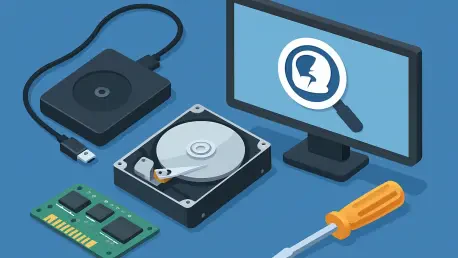

Data entropy, or the state of the drive after a loss event, ultimately dictates whether a file can be salvaged or if it has been permanently overwritten by system updates. In the current digital landscape of 2026, the volume of data generated by average Windows users has reached unprecedented levels, making the stakes of a storage failure or accidental deletion higher than ever before. While cloud synchronization has mitigated some risks, local high-capacity drives remain the backbone of workstation performance and personal archives. When these systems fail, the resulting panic is often compounded by the technical complexity of modern file systems and the physical nature of solid-state storage. Successful recovery is not merely a matter of luck but a race against the operating system’s internal management processes, which are constantly reorganizing data blocks behind the scenes. Understanding the mechanics of how Windows handles deleted information is the first step in formulating a viable plan for data restoration.
The foundational principle of most recovery utilities lies in the distinction between data pointers and the raw data itself. In the Windows environment, when a file is removed from the Recycle Bin, the operating system does not immediately scrub the physical sectors of the hard drive or the NAND cells of an SSD. Instead, it alters the Master File Table to indicate that the space previously occupied by that file is now available for new information. This creates a window of opportunity where specialized software can bypass the standard file explorer to identify these “orphaned” data fragments. However, as the system continues to operate, the risk of these sectors being reassigned grows exponentially. This is why professional consensus emphasizes the immediate cessation of all drive activity. From 2026 to 2028, experts predict that automated system maintenance will become even more aggressive, further narrowing the timeframe available for successful logical recovery without professional laboratory intervention.
Essential Criteria for Selection
Technical Recovery Requirements
A modern recovery tool must offer comprehensive support for the diverse array of file systems utilized in the Windows ecosystem, ranging from the venerable FAT32 to the resilient ReFS used in enterprise environments. As we move deeper into 2026, the prevalence of NVMe drives and advanced partitioning schemes like GPT has necessitated software that can interact directly with low-level storage controllers. An effective utility must be capable of rebuilding damaged partition tables and identifying file headers even when the directory structure has been completely obliterated. This level of deep scanning requires the software to possess a robust library of file signatures, allowing it to piece together fragmented data from high-resolution media, complex database files, and encrypted volumes that are standard in contemporary computing.
Furthermore, the software’s interaction with solid-state drives presents a unique set of challenges compared to traditional mechanical hard disks. The implementation of the TRIM command in Windows 11 and its successors means that deleted data on an SSD is often purged more rapidly to maintain write performance. A high-quality recovery solution must include advanced algorithms that can navigate these hardware-level optimizations. It should also provide the ability to create bit-by-bit disk images. By working from an image rather than the physical drive, the software ensures that the stress of repeated scanning does not lead to a total hardware collapse, particularly in cases where the drive is exhibiting early signs of mechanical or electronic fatigue.
Usability and Value Considerations
The interface of a recovery program plays a critical role in its effectiveness, especially for users who are operating under the stress of a data loss emergency. There is a clear distinction in the 2026 market between wizard-based tools designed for casual users and modular, granular interfaces intended for forensic specialists. A well-designed user experience should provide clear progress indicators, intuitive filtering options, and most importantly, a reliable preview function. Being able to see a thumbnail of a lost photograph or a snippet of a text document before initiating the full recovery process is essential for verifying that the data has not been corrupted beyond repair. This transparency prevents the frustration of recovering thousands of empty or unreadable files.
From a financial perspective, the industry has shifted toward a variety of licensing models that reflect different usage patterns. Many consumers prefer a one-time perpetual license that provides long-term peace of mind, while others may find more value in a low-cost monthly subscription if they only need to solve a single, isolated problem. It is also important to scrutinize the limitations of free versions, which often carry strict data volume caps or restrict recovery to specific file types. A truly valuable solution balances its feature set against its price point, offering professional-grade scanning capabilities without a prohibitive cost. Users must weigh these factors carefully, as the cheapest option may lack the sophisticated deep-scan technology required for complex logical failures.
Leading Software Solutions
User-Centric Recovery Tools
EaseUS Data Recovery Wizard has established itself as the leading choice for Windows users who prioritize a guided, streamlined experience. The software utilizes a sophisticated “Recovery Assistant” that simplifies the process into a series of logical steps, making it accessible even to those without a deep technical background. In the current 21.0.0 version, the tool has integrated advanced AI-driven filtering that helps users ignore system junk and focuses specifically on high-value user data. This intelligence significantly reduces the time spent sifting through thousands of irrelevant log files. However, the premium nature of the software is reflected in its pricing, and the free tier remains limited to a 2GB recovery threshold, which is best suited for documents and specific high-priority archives.
In contrast, Recuva serves as the primary entry-level solution for straightforward recovery tasks. It is particularly effective for those who have accidentally emptied their Recycle Bin or formatted a secondary storage device like a USB flash drive. One of the standout features of Recuva is its transparency; unlike many of its competitors, it does not impose a strict data limit on its basic free version, allowing for large-scale recovery of photos and videos without an immediate financial commitment. While it lacks the deep partition reconstruction capabilities of more professional suites, its “Deep Scan” mode is surprisingly effective at finding files with intact headers. It remains a staple for casual users who need a quick, reliable, and cost-effective way to reverse common human errors.
Professional Powerhouses
R-Studio represents the pinnacle of data recovery technology for IT professionals and forensic experts. Its architecture is designed to handle the most severe logical disasters, such as collapsed RAID arrays and corrupted network-attached storage. The software’s strength lies in its modularity and its ability to support nearly every file system in use today, including those from non-Windows environments like Linux and macOS. This versatility makes it an indispensable tool in a corporate setting where multi-platform environments are the norm. R-Studio’s commitment to disk imaging is also a critical safety feature, ensuring that recovery attempts are performed on a virtual clone to protect the integrity of the original, potentially failing hardware.
PhotoRec offers a different but equally powerful approach by operating as an open-source, signature-based recovery tool. It essentially ignores the file system and searches for the raw data patterns of over 480 different file extensions. This makes it the ultimate “last resort” for drives that have been reformatted multiple times or have suffered catastrophic partition table damage. Because it is completely free and unlimited, it provides professional-level salvage power without any financial barrier. The trade-off is its text-based, command-line style interface and the fact that it often cannot recover original filenames or folder hierarchies. Users are often left with a massive collection of numbered files that require manual sorting, a small price to pay for the recovery of otherwise lost data.
Affordable Specialized Tools
DMDE, or Disk Editor and Data Recovery Software, occupies a unique position in the market by offering high-end forensic features at a budget-friendly price point. It is particularly revered by advanced users for its built-in disk editor, which allows for the manual repair of file system structures and partition tables. This level of granular control is rarely found in software at this price range. The tool is exceptionally efficient, often finding partitions and files that other software misses due to its sophisticated low-level scanning algorithms. For those who understand the underlying structure of a hard drive, DMDE provides a surgical precision that can be more effective than a generic automated scan.
The licensing model for DMDE is also one of the most generous in the industry. Its free version allows users to recover up to 4,000 files from a specific directory in a single session, and there is no limit on how many times this process can be repeated. This makes it an ideal choice for the patient user who is willing to navigate a more technical interface in exchange for high-performance recovery results. Whether the task is reconstructing a broken RAID 5 array or simply pulling photos from a “RAW” drive, DMDE provides the tools necessary for a successful outcome. It bridges the gap between the simplicity of basic recovery tools and the expensive complexity of corporate forensic suites.
Key Industry Trends and Realities
Design Trends
The landscape of data recovery software in 2026 is defined by a widening divergence in design philosophy. On one hand, we see a move toward extreme automation, where AI agents handle the entire diagnostic and recovery process with minimal user input. These tools are designed to predict which files are most important to the user and prioritize their restoration, which is a significant advancement in efficiency. On the other hand, the demand for granular control remains strong among power users and professionals who require the ability to manipulate hex values and manually define file boundaries. This dual-market approach ensures that there is a solution for every skill level, from the casual home user to the dedicated data recovery engineer.
Pricing strategies have also evolved to reflect the ongoing shift toward software-as-a-service models. While many top-tier consumer brands have adopted monthly or yearly subscriptions to fund continuous AI development and cloud integration, a significant portion of the technical community still advocates for the perpetual license model. This tension has created a competitive environment where users can choose a payment plan that fits their specific needs. From 2026 to 2030, it is anticipated that more companies will offer hybrid models, combining local scanning power with cloud-based AI analysis to solve the most difficult recovery cases. This technological evolution continues to push the boundaries of what is possible in logical data salvage.
Safety Standards
A major consensus has formed around the “Preview Before You Pay” standard, which has become a hallmark of reputable software developers. This practice allows a user to download a trial version, perform a full scan of their media, and view the actual contents of recoverable files before spending any money. This serves as a vital consumer protection measure, as it prevents users from purchasing software that might not be able to overcome the specific type of corruption present on their drive. In the 2026 tech environment, any software that requires an upfront payment without providing a verifiable scan result is generally viewed with skepticism by the technical community.
It is equally important for users to understand the boundary between logical and physical drive failure. Software solutions are highly effective at fixing errors related to deleted files, formatting, and file system corruption, but they cannot repair hardware. If a drive is making clicking, grinding, or beeping sounds, or if it is not recognized by the BIOS at all, the use of recovery software can actually be destructive. The mechanical stress of a software scan can lead to a total head crash or permanent platter damage. In these critical situations, the only objective solution is to power down the device immediately and seek out a professional data recovery lab with clean-room facilities.
Restoration Strategies
The industry successfully transitioned into an era where data recovery is more accessible than ever, provided that users follow a disciplined approach. Throughout the early 2020s and into 2026, the primary factor for success remained the speed of the user’s response. Those who acted immediately to isolate the affected drive consistently achieved higher recovery rates than those who continued to use their systems. The evolution of tools like EaseUS and R-Studio provided the necessary technical support for these efforts, offering a range of solutions that scaled with the complexity of the data loss event. Users prioritized safety by utilizing disk imaging and verified their results through robust previewing mechanisms before committing to the final restoration.
Looking ahead, the emphasis on proactive data management has become the primary recommendation for all Windows users. While the recovery tools discussed are highly capable, they served as a secondary defense against the inevitable risk of hardware failure and human error. The most successful strategies involved a combination of local redundancy and diversified cloud backups to ensure that no single point of failure could lead to permanent loss. By staying informed about the limitations of their hardware and the capabilities of modern software, users maintained control over their digital lives. The transition to advanced storage formats necessitated a continuous learning process, ensuring that the community remained prepared for the challenges of a data-driven future.