
The combination of the GitLab CLI and the Duo Agent Platform creates a governed path from local code drafting to final production deployment. In the 2026 landscape, software development has fundamentally shifted toward agentic engineering, where artificial intelligence agents handle complex, multi-step tasks across the entire development lifecycle. These agents are increasingly capable of managing work items, repairing failed pipelines, and ensuring that security findings are triaged before code reaches a production state. This rapid acceleration in delivery speed is only beneficial if every modification remains grounded in the comprehensive context of the software factory. Without a unified platform to provide this context, organizations face the risk of fragmenting their identity, policies, and audit trails across a disconnected set of tools. GitLab addresses this by centralizing security, approvals, and compliance within a single interface, allowing developers to maintain their preferred local coding environments while ensuring that every automated change passes through the necessary organizational gates. This configuration prevents the emergence of shadow software factories, keeping all development activities visible and secure.
1. Infrastructure Strategy: Building for Modern Agentic Workflows
Modern software teams have moved beyond using agents merely for code completion; they now leverage them to move work through review and repair pipelines, pushing changes toward a merge. This velocity is only sustainable when every change is based on the full software lifecycle context found within a unified platform. Without this grounding, context and control become fragmented across various tools, leading to a lack of oversight. Identity, policy, CI pipelines, security, and approvals must accompany every change from the initial planning phase to the final merge and production deployment. A local coding harness alone cannot capture this complete picture, which is why the GitLab Duo Agent Platform is designed to work in tandem with local tools. This partnership allows coding agents to move quickly while GitLab certifies their work on the way to production. By maintaining a cloud-neutral and agent-neutral stance, GitLab ensures that organizations can keep the models and deployment paths that fit their specific needs without compromising safety or compliance.
Building a resilient infrastructure for agentic engineering requires more than just integrating an LLM; it requires a context-aware system that understands the relationship between issues, code, and security findings. In 2026, the complexity of modern applications means that an agent operating in isolation often lacks the necessary information to make informed decisions about dependencies or architectural standards. GitLab provides this necessary depth through a unified context graph, which allows agents to access the same repository data and history that a human developer would. Furthermore, the platform’s neutrality ensures that as new models emerge or existing ones are updated, the underlying governance framework remains stable. This stability is crucial for enterprises that must adhere to strict regulatory standards while still wanting to benefit from the latest advancements in AI. By providing a consistent set of gates and evidence-gathering mechanisms, GitLab turns the rapid iteration of agents into a reliable, governed process that delivers high-quality software with reduced human intervention.
2. Environment Configuration: Connecting Local Tools to the Duo Agent Platform
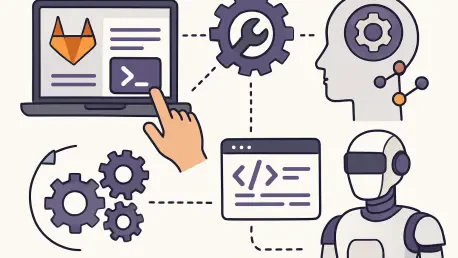
For developers who spend most of their time working within a local environment, the most efficient way to utilize agentic engineering is to connect those local tools directly to the GitLab Duo Agent Platform. From the terminal, users can direct lifecycle tasks to agentic workflows that run inside GitLab, effectively extending the capabilities of their local environment. This setup allows tasks such as picking up an issue, opening a merge request, or resolving merge conflicts to be handled by agents while the developer remains focused on other priorities. Even complex tasks, such as repairing a failed pipeline or triaging security findings, can be initiated from the command line. This integration ensures that while code execution might occur locally or within a coding agent, the management and certification of that code take place within the secure GitLab environment. Tools like Claude Code, Cursor, or the Duo CLI become the control center from which these automated workflows are managed, providing a seamless experience that balances local flexibility with centralized governance.
The process of connecting these tools involves using the Model Context Protocol (MCP) and the GitLab CLI to create a secure bridge between the local machine and the cloud platform. This connection allows the local harness to read issue descriptions, repository artifacts, and merge request contexts, which are then passed to the Duo Agent Platform for execution. By layering context in this way—starting with local files and expanding to group-wide issue and MR data—agents can propose more accurate solutions and perform more meaningful reviews. This setup also ensures that every action taken by an agent is attributed to a specific user identity, maintaining the integrity of the audit trail. As teams continue to adopt diverse sets of tools, having a standardized way to connect them to a central platform of record becomes increasingly important. This configuration enables a tighter feedback loop where findings from automated reviews or pipeline failures are reported back to the local harness, allowing developers to act on them immediately without switching between multiple browser tabs or interfaces.
3. Part 1: Executing the Guided Setup for Group-Wide Automation
Initiating agentic engineering begins with a guided setup facilitated by a dedicated skill designed for the GitLab Duo environment. This streamlined process runs within a local harness, such as Claude Code, and involves cloning the configuration repository and copying the setup skills into the agent’s local directory. Once the skills are installed, the developer can invoke the setup command directly from the terminal, triggering a comprehensive plan to configure the top-level group. The setup skill enables the Duo Agent Platform, activates group-wide flow execution, and configures specific workflows such as the Developer flow and Fix CI/CD Pipeline automation. Before any changes are applied, the skill presents a detailed plan for review, allowing the user to approve or modify each action. This ensures that the configuration aligns with the organization’s needs while providing a clear understanding of which projects and members will be affected by the changes.
Following approval of the configuration plan, the setup skill establishes the necessary connections between the local tool and GitLab. This includes adding the GitLab MCP server to the local harness and guiding the user through a secure, browser-based sign-in process. The skill also verifies the connection by invoking specific tools to list available agents and flows, ensuring the integration is fully functional. For organizations using GitLab Ultimate, the setup includes an optional step to enable automated security triage and patching, further enhancing software factory automation. By using a skill for this setup, teams can ensure their environment is configured correctly and consistently across the entire organization. This method is intentionally harness-neutral, meaning the same setup process can be applied regardless of the team’s preferred local coding tool. Once setup is complete, the environment is ready to handle automated developer tasks and provide real-time feedback within the developer’s existing workflow.
4. Part 2: Implementing the Developer Flow and Automated Reviews
With the connection between the local harness and the GitLab Duo Agent Platform established, developers can begin delegating tasks to the developer flow. This process typically starts with identifying work items through the terminal, where the agent can list and summarize assigned issues. Once a task is selected, the developer can command the agent to assign the issue to the GitLab developer flow. At this point, the heavy lifting moves to the GitLab Cloud, where a CI job is initiated on a runner to read the issue, analyze the repository, and generate a merge request. This allows the human developer to continue working on other local tasks without interruption while the agent handles the initial drafting and creation of the MR. The resulting merge request is attributed to the user who initiated the flow, ensuring it appears in their activity stream and follows the standard review process. This automation significantly reduces the time spent on the initial stages of feature development and bug fixing.
In addition to drafting code, the Duo Agent Platform provides automated code reviews for every merge request. As soon as an MR is marked as ready, the Code Review flow performs a multi-stage analysis, pulling in related files, tests, and dependencies to provide actionable inline feedback. These reviews are not just static linting checks but involve a deep understanding of the repository’s context and standards. From the local harness, the developer can read these review threads and use their local agent to iterate on the findings, applying fixes and resolving threads directly from the terminal. This creates a high-velocity feedback loop where the agent provides the initial review and the developer, assisted by their local tool, addresses the feedback. To further tailor the experience, teams can use specific configuration files to provide custom review instructions or exclude certain types of merge requests. This ensures that the automated review process is both efficient and aligned with the specific engineering standards of the project, leading to higher code quality and faster merge times.
5. Part 2: Managing Pipeline Repairs and Security Vulnerabilities
One of the most powerful features of the configured environment is the ability to automatically repair failed pipelines. Using GitLab automation, the platform monitors pipeline failures and immediately triggers the “Fix CI/CD Pipeline” flow. When a failure occurs, the agent analyzes the job logs, the merge request diff, and the repository context to determine the root cause of the error. If a fix is identified within the context of the MR, the agent provides inline code suggestions that the developer can review and apply. In cases where the fix requires changes outside the current diff or when no MR is present, the agent can open a new merge request with the necessary corrections. This proactive approach ensures that pipeline errors are addressed almost as soon as they occur, minimizing the time code spends in a broken state. From the terminal, developers can monitor these automated fixes and use the merge request follow-up skill to guide the changes toward a successful merge.
For organizations utilizing GitLab Ultimate, the agentic engineering environment extends into the realm of security with automated triage and patching. Three specific security flows—Secret False Positive Detection, SAST False Positive Detection, and Resolve SAST Vulnerability—work together to reduce the security debt that often accumulates after code is merged. These agents scan findings from the default branch, filtering out false positives and automatically generating merge requests to fix confirmed SAST vulnerabilities. This level of automation allows security teams to focus on high-level strategy while the agents handle the repetitive work of identifying and patching common vulnerabilities. The standard preset for these flows ensures that medium- and high-risk findings are triaged and addressed automatically, with a limited number of open fix MRs to prevent overwhelming the team. Developers can then review these security-focused MRs with the same rigor as any other contribution, ensuring that the patches are sound and do not introduce new issues into the application.
6. Strategic Advantages: Velocity and Governance in a Unified Path
The integration of local tools with the GitLab Duo Agent Platform provides a strategic advantage by combining high-velocity development with rigorous governance. By establishing a unified path from drafting to production, organizations can ensure that every agent-generated change is subject to the same engineering and security standards as human-authored code. This trust-building approach is supported by the use of composite identity, which links every agent action to both a service account and the specific user who initiated the work. This dual-layer identity provides a clear audit trail that is essential for compliance and security oversight. Furthermore, the use of merge request approval policies and pipeline execution rules ensures that even the most advanced automated workflows remain within the organization’s defined guardrails. This prevents the emergence of undocumented changes and ensures that all automated actions are transparent and accountable.
Complexity reduction is another significant benefit of this unified configuration, particularly through the use of GitLab Orbit. As a comprehensive context graph of the entire software lifecycle, Orbit provides agents with the information they need to understand the relationships between code, issues, pipelines, and environments. This depth of context is critical for reducing the number of retries an agent must perform and lowering the overall token cost of each operation. In practice, this means that agents can make more accurate decisions more quickly because they are not operating with a limited view of the repository. Additionally, the flexibility of the platform allows organizations to choose the models and cloud providers that best suit their needs, avoiding vendor lock-in while still benefiting from a highly integrated development environment. This combination of speed, trust, and reduced complexity allows software teams to scale their output and maintain a competitive edge in a rapidly changing technological landscape.
7. Troubleshooting and Prerequisites: Ensuring a Smooth Implementation
To successfully implement this agentic engineering configuration, several prerequisites must be met at both the organizational and local levels. A GitLab.com top-level group with sufficient GitLab credits is necessary, as these credits fuel the automated flows and agentic interactions. For teams on Premium or Ultimate plans, promotional credits are often available each month to help start the process. Locally, developers must have git and the GitLab CLI installed and properly authenticated. Access levels are also critical; configuring group-wide settings and automations requires the Owner role on the top-level group. If a user is only a Maintainer on a specific project, the setup will be limited to that project and will provide a list of actions that must be performed by a group Owner. Having a project with existing pipelines, open issues, and merge requests is also recommended so that workflows have a meaningful context in which to operate during the initial testing phase.
Despite the streamlined setup, users may occasionally encounter issues where GitLab tools do not appear in their local harness or connections fail. A common troubleshooting step is to check the MCP connection status and ensure the GitLab server is properly linked. If tools are missing despite a successful connection, restarting the local harness often resolves the issue, as new servers are typically loaded at the start of a session. Encountering a 403 error during the sign-in process usually indicates that the group-level setting for allowing MCP client access is disabled. In this case, a group owner must navigate to the group’s general settings and enable the GitLab connection under the Permissions and Features section. Ensuring that runners are available and capable of running workflows is another important consideration, as agentic workflows rely on CI jobs for execution. By addressing these prerequisites and understanding common troubleshooting paths, teams can ensure a smooth transition to an automated, agentic workflow.
8. Strategic Evolution: Transitioning to a Fully Governed Engineering Model
The implementation of these agentic workflows provided a clear path toward higher efficiency and reduced technical debt across the organization. By successfully bridging the gap between rapid local iteration and rigorous production standards, the GitLab Duo Agent Platform allowed teams to automate the most repetitive aspects of the development cycle. This transition enabled engineers to shift their focus from manual tasks, such as pipeline repair and initial code drafting, toward higher-level architectural decisions and complex problem-solving. The auditability and governance provided by the unified platform ensured that every automated action remained transparent, which was a critical requirement for maintaining security in an increasingly automated environment. This foundation ultimately proved to be a significant differentiator for teams looking to scale their engineering output while maintaining the safety and compliance of their production systems.
Moving forward, organizations should continue to refine their agentic configurations by updating review instructions and tailoring automation to the specific needs of their projects. As the capabilities of AI agents continue to expand, the importance of a centralized context graph and a robust policy framework will only increase. Teams are encouraged to explore the full range of available workflows and integrate them into their daily routines, using the terminal as a powerful command center for all lifecycle activities. The transition to a governed software factory is not a one-time event but an ongoing process of improvement and adaptation. By staying grounded in a unified platform and leveraging the latest advancements in agentic engineering, developers can ensure they remain productive and secure in a world where AI is an integral part of the software development process. Continuing to monitor credit usage and optimizing model choices will also help maintain a cost-effective and high-performing automated environment.