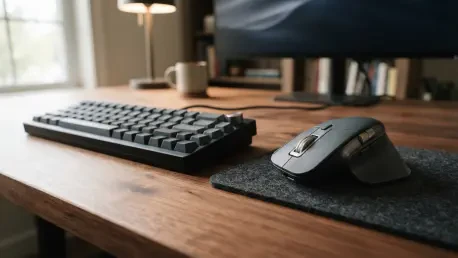

The rapid expansion of the OpenLogi action list suggests a development pace that is quickly closing the feature gap with Logitech’s official productivity ecosystem. As professionals increasingly find their workflows disrupted by the bloat and instability of mandatory peripheral suites, the demand for leaner, more transparent control systems has reached a critical tipping point. This shift is not merely about aesthetic preference or technical curiosity; it represents a fundamental re-evaluation of hardware ownership in an age where proprietary software serves as an invisible tether. For many users, the realization that a hundred-dollar mouse can become a paperweight due to a server error or an expired security certificate is a sobering lesson in digital dependency. Consequently, the emergence of community-driven projects provides a necessary safeguard, offering a path toward hardware autonomy that prioritizes performance and privacy over corporate ecosystem lock-in. This movement marks the beginning of a new era where the utility of a device is determined by its physical capabilities and the user’s needs, rather than the arbitrary constraints of manufacturer-issued drivers.
The Physical Foundation: Hardware Capabilities and Software Reliance
Technical Innovations: The MX Master 4
The Logitech MX Master 4 serves as the primary catalyst for the rise of alternative software like OpenLogi, representing the pinnacle of modern input engineering. This device features an 8,000 DPI sensor for precision tracking on challenging surfaces like glass, alongside a MagSpeed electromagnetic scroll wheel capable of processing 1,000 lines per second. These specifications make it a top-tier tool for professionals across various industries, from software development to digital design. However, the hardware’s complexity introduces a significant challenge: its most advanced features, such as the “Haptic Sense” panel and the “Actions Ring,” require specialized software hooks to function. Without a functional software interface, the sophisticated tactile feedback and rapid-access shortcuts of the MX Master 4 remain dormant, leaving the user with a high-end device that operates at only a fraction of its true technical potential.
The dependency on specific software suites creates a precarious situation where the value of a physical product is tied to the stability of a digital application. While the physical build of the MX Master 4 is designed to last for years, its utility is often gatekept by proprietary drivers that may not receive timely updates for new operating systems. This gap between physical capability and software accessibility is exactly what OpenLogi aims to bridge, ensuring that the mouse operates at its full potential regardless of the manufacturer’s official support status. By providing a direct path to hardware customization, this open-source project empowers users to maintain their equipment without being forced into a specific corporate ecosystem that might prioritize data collection over user experience. This approach ensures that the investment in premium hardware remains protected from the planned obsolescence often found in proprietary software cycles.
Software Reliance: The Bottleneck of Proprietary Ecosystems
Logitech Options+ is frequently criticized for being a resource-heavy application that mandates user accounts for cloud-based settings, which introduces unnecessary friction into the user workflow. A significant single point of failure was exposed in early 2026 when an expired security certificate rendered the software non-functional on macOS, leaving users unable to customize their devices or even use basic shortcuts. Such incidents highlight the inherent risks of relying on closed-source, cloud-dependent drivers for essential hardware functionality. When the official software fails, the user is left without recourse, as the proprietary nature of the code prevents community members from issuing their own fixes. This reliance on a central authority for hardware functionality is becoming increasingly unpalatable for power users who require consistent reliability.
Beyond these reliability issues, the inclusion of telemetry systems in Options+ has raised alarms for privacy-conscious individuals and enterprise security teams alike. These systems track user behavior and interaction patterns, a practice that many find intrusive for a simple peripheral driver that should ideally function locally and silently. By forcing users into a specific ecosystem to unlock hardware features, manufacturers create a precarious environment where software oversight can directly degrade the value of a physical product. OpenLogi addresses these concerns by providing a lightweight alternative that removes the need for account registration and constant internet connectivity. This shift back to local-first management ensures that the device remains functional even in offline environments, while also protecting the user’s behavioral data from being harvested by third-party services.
The Open-Source Response: Performance and Philosophical Agency
Technical Architecture: The Rust Foundation
OpenLogi offers a technical and philosophical departure from the traditional manufacturer model by utilizing modern programming standards to ensure performance and safety. Written in the Rust programming language for optimal memory safety and execution speed, it operates as a lightweight tool that communicates directly with hardware via the HID++ protocol. It supports various connection methods, including Bolt, Unifying receivers, Bluetooth, and USB, making it a versatile choice for a wide range of setups. Unlike proprietary suites that often require hundreds of megabytes of system memory, OpenLogi maintains a minimal footprint, ensuring that system resources remain available for demanding professional applications. This focus on efficiency is a direct response to the “software bloat” that has become characteristic of many modern hardware management tools.
The project prioritizes user simplicity and privacy by eliminating the need for accounts and cloud synchronization, which are often cited as major annoyances in official software. Instead of a complex, opaque database, OpenLogi utilizes a plain TOML file for configuration, allowing users to back up their settings by simply moving or editing a text file with a standard editor. This approach ensures that the user’s data remains local and private, returning the status of owner to the person who purchased the hardware. By using a human-readable configuration format, the software also caters to advanced users who wish to script their peripheral settings or synchronize them across multiple machines using personal version control systems. This level of transparency and flexibility is rarely found in commercial software products, which often obscure configuration details to prevent user interference.
Functional Parity: Unlocking Haptics and Control
One of the most impressive feats of OpenLogi is its ability to natively support the MX Master 4’s haptic capabilities without requiring the official manufacturer’s intervention. The software treats the haptic panel as a first-class control, allowing users to adjust press-force and tactile responses that were previously locked behind the Options+ interface. This level of integration extends to the Actions Ring, where users can map specific shortcuts like media controls or editing commands to a vibrating pop-up menu that provides physical confirmation of an action. This functionality is crucial for users who rely on tactile feedback to maintain focus during complex tasks, as it provides a more immersive and responsive experience than traditional visual-only on-screen menus.
Furthermore, OpenLogi provides granular customization for all eight buttons on the device, alongside DPI adjustments and SmartShift toggles for the scroll wheel. While users may still need the official software once to update firmware to a compatible version, OpenLogi handles all day-to-day operations with a degree of stability that often surpasses the original suite. This ensures that even the most complex hardware features are accessible through a fast, open-source interface that respects the user’s time and system stability. The ability to manage these features through a single, lightweight application reduces the cognitive load on the user and streamlines the setup process for new workstations. As the software continues to evolve, it is expected to include even more specialized shortcuts, further distancing itself from the limitations of the official Logitech software.
Operational Efficiency and Ecosystem Integration
Comparative Analysis: Options+ versus OpenLogi
When evaluated against Logitech Options+, OpenLogi holds its own by offering comparable features like per-app profiles and comprehensive button remapping. While the official suite has a more polished visual interface and supports a broader range of webcams and keyboards within the same window, OpenLogi is rapidly closing the gap through community-driven development. It even provides surprising support for some G-series gaming hardware, such as the C922 webcam, making it a Swiss-army-knife for users with mixed equipment. This versatility is particularly valuable for professionals who use a combination of productivity and gaming gear, as it allows them to consolidate their peripheral management into a single, efficient tool. The lack of telemetry and account requirements further tips the scale in favor of OpenLogi for users who value privacy and simplicity.
The performance differences between the two applications are also noteworthy, especially on systems with limited resources or older hardware. OpenLogi’s use of Rust allows it to respond to input changes with negligible latency, whereas Options+ can sometimes suffer from delays or crashes when switching between applications. This responsiveness is critical for high-stakes environments where every millisecond of input delay can impact productivity. Additionally, the open-source nature of the project means that bugs are often identified and fixed by the community much faster than they would be through official corporate support channels. This collaborative model ensures that the software remains resilient and adaptable to the changing needs of its user base, providing a level of reliability that proprietary models simply cannot match in the long term.
Strategic Implementation: Streamlining Peripheral Management
Originally a macOS-exclusive, OpenLogi has expanded into a true cross-platform tool, offering much-needed support for the Linux community which has historically been underserved by major hardware manufacturers. Although the Windows port is still maturing and may have minor visual inconsistencies, the active development cycle suggests a project with high momentum and a clear vision for the future. Frequent updates to the built-in action lists and haptic settings demonstrate a responsive team focused on expanding utility and stability for all users across various operating systems. This cross-platform consistency is a major advantage for professionals who work in heterogeneous environments, allowing them to maintain the same peripheral behavior regardless of the machine they are currently using.
The evolution of OpenLogi represented a significant shift in how consumers interacted with high-end peripherals, moving away from closed ecosystems toward user-centric control. It successfully bridged the gap between physical innovation and user needs, proving that hardware excellence should not be tethered to mandatory, flawed software. For those looking to optimize their workflow, the most effective next step involved using the official software once for critical firmware updates and then transitioning entirely to OpenLogi for daily management. This approach eliminated driver conflicts and significantly reduced system overhead while maintaining full access to the device’s advanced haptic features. Moving forward, the project’s roadmap points toward even deeper integration, including multi-device synchronization features that will likely set a new standard for open-source hardware management. Through these efforts, the project ensured that a hundred-dollar investment in a device like the MX Master 4 remained protected and fully functional on the user’s own terms.