
Relying on a single-pane terminal interface creates a bottleneck for administrators who need to execute repetitive health checks and log inspections across dozens of remote machines at once. For several decades, PuTTY has remained the default solution for Windows users who require Secure Shell access to remote systems, but the architectural landscape of modern computing has shifted significantly since its inception. While the traditional terminal was designed for simple point-to-point connections, the current ecosystem often involves managing a vast array of virtual private servers, Raspberry Pi clusters, and containerized environments like Docker. This increased complexity has exposed the limitations of legacy tools, which frequently force a fragmented workflow that separates command-line operations from file management and health monitoring. As infrastructure demands grow, the need for a unified, high-performance dashboard has led many developers toward open-source alternatives that prioritize integration and efficiency over basic connectivity.
The transition from a fragmented toolset to a centralized management hub represents a significant evolution in how technical professionals interact with their remote infrastructure. In a typical legacy workflow, a system administrator might find themselves juggling a terminal for executing commands, a separate SFTP client for transferring configuration files, and perhaps a third application or text file for storing frequently used scripts. This constant context-switching creates a high cognitive load and introduces unnecessary friction into the maintenance lifecycle. By consolidating these disparate functions into a single interface, modern utilities allow for a more cohesive experience where the user remains focused on the task at hand rather than the mechanics of switching windows. The resulting efficiency gain is particularly noticeable in high-stakes environments where rapid diagnosis and resolution of server issues are paramount for maintaining uptime and performance across decentralized networks.
Transforming Servers into Interactive Dashboards
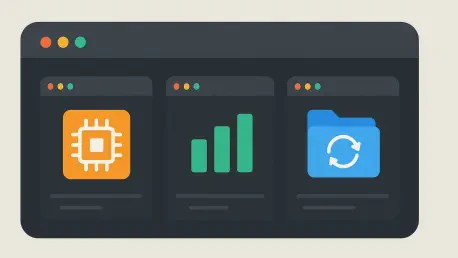
The core philosophy behind this modern alternative involves treating remote servers as interactive dashboards rather than just static terminal destinations. In the traditional PuTTY environment, a saved host is little more than an address and a set of connection parameters, providing no insight into the server’s status until a session is fully established. In contrast, OmnySSH utilizes a visual card-based system for each host that surfaces real-time telemetry, including critical metrics such as CPU and RAM utilization, disk space, and active processes. This level of situational awareness provides an immediate overview of the entire infrastructure, allowing administrators to identify performance bottlenecks or resource spikes at a glance. By surfacing this data proactively, the software functions as a lightweight monitoring agent that helps prevent minor system anomalies from escalating into significant service interruptions.
Furthermore, the integration of graphical monitoring tools directly into the connection manager fundamentally changes the diagnostic process for system maintenance. When a user observes a sudden increase in memory usage or a processor spike on one of the server cards, they can jump directly into a terminal session with a clear understanding of what to investigate. This proactive approach eliminates the guesswork often associated with logging into multiple machines blindly to check for errors. The ability to see which Docker containers are running or which services are currently consuming the most resources before even typing a single command saves an enormous amount of time. Consequently, this shift from reactive to proactive management ensures that administrative efforts are directed where they are most needed, optimizing the overall health of the server fleet without the need for heavy, third-party monitoring suites.
Integrating a dual-pane SFTP browser within the same workspace as the terminal session represents another major leap in operational efficiency for Windows users. Historically, modifying a configuration file or uploading a new script required the “WinSCP shuffle,” which involved opening a separate application, navigating the file structure again, and then returning to the terminal to restart a service or verify changes. With a unified interface, the file management and command-line environments coexist seamlessly, allowing users to perform graphical file edits and terminal commands in parallel. The terminal session remains active and synchronized, meaning that any changes made via the graphical browser can be immediately acted upon through the command line. This synchronicity is essential for maintaining a fast-paced development or maintenance workflow, as it removes the technical barriers between file manipulation and system execution.
Streamlining Management Through Automation
Automation stands as a primary pillar of the modern administrative experience, and the implementation of “Snippets” is a standout feature for those who oversee multiple machines. These snippets act as repeatable, saved commands that can be broadcast across dozens of servers simultaneously with a single click. Whether a user needs to perform routine health checks, clear temporary logs, or initiate a broad update cycle across a cluster of Linux nodes, the ability to execute these tasks in bulk saves hours of manual labor. The inclusion of variable support within these snippets further enhances their utility, as it allows for flexible execution where a single script can be dynamically adapted for different server paths, usernames, or service names without requiring the user to rewrite the code for each unique instance.
Scalability is often the point where traditional terminal emulators struggle to keep pace with the growth of modern server farms or home laboratories. To address the challenge of managing a large number of connections, the software incorporates a robust tagging and search system that makes organization intuitive and efficient. Users can categorize their machines with tags such as “Web Servers,” “Database Nodes,” or “Development Environments,” which enables quick filtering and batch actions across specific groups. This organizational layer ensures that the dashboard remains clean and navigable even as the number of managed instances scales into the dozens or hundreds. By providing a structured way to oversee a growing infrastructure, the tool empowers administrators to maintain a high level of control and visibility that was previously difficult to achieve within a basic, text-based session manager.
The modernization of credential management also plays a vital role in reducing the friction associated with securing remote access across a diverse array of systems. While legacy tools often require external utilities for generating and managing SSH keys, this all-in-one alternative integrates key creation and distribution directly into the user interface. This streamlined process allows for the quick deployment of security credentials to new servers while ensuring that existing security boundaries and permissions are strictly respected. By simplifying the generation and distribution of keys, the software encourages better security practices, making it easier for users to implement unique keys for different environments without the administrative burden typically associated with complex key management. This balance between convenience and security is crucial for maintaining the integrity of sensitive server infrastructure.
Navigating the Future of Remote Infrastructure
The shift toward specialized, dashboard-driven management tools provided a clear pathway for organizations to reduce operational overhead. Administrators discovered that the consolidation of terminal and file management eliminated the need for manual context-switching that characterized earlier eras of system oversight. This transition allowed for a more robust auditing process, where configurations were managed through standardized snippets rather than ad-hoc terminal entries. Future considerations for infrastructure management pointed toward even deeper integration of diagnostics and automated remediation within the terminal interface itself. By moving away from legacy terminal emulators, the technical community embraced a more holistic approach to server health that prioritized visual data and batch operations over single-session command entry.
This evolution suggested that the next logical step in the industry involved the integration of automated deployment pipelines and container management directly into the SSH client dashboard. Ultimately, the decision to migrate toward specialized management tools represented a fundamental upgrade in the reliability and speed of system maintenance workflows. The implementation of real-time telemetry transformed the role of the administrator from one who reacted to failures to one who proactively maintained system stability. As the scale of remote environments continued to expand, the efficiency gained from unified tooling proved to be a necessity rather than a luxury. Organizations that adopted these modern alternatives reported significant improvements in response times and a reduction in configuration errors, marking a definitive end to the era of fragmented server management.