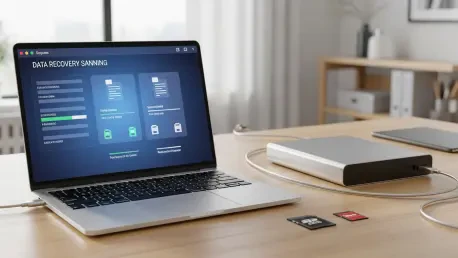

The silent disappearance of a decades-long digital archive or a crucial project can induce a level of panic that few other technological failures can match in our increasingly paperless world. Whether the cause is an accidental keystroke that emptied the trash or a more sinister hardware malfunction, the immediate sensation of loss often leads to hasty decisions that might permanently destroy the data. However, the fundamental mechanics of modern storage systems offer a glimmer of hope because “deleted” files are rarely removed from a storage medium immediately after a user executes a delete command. Instead, the operating system simply designates the physical space occupied by that file as “available,” removing the pointers that allow the file system to display it while the underlying binary code remains intact until it is overwritten by new information. This critical window of opportunity provides the foundation for data recovery software, which serves as a specialized bridge between logical errors and the raw physical data still residing on the platters or flash cells of the drive.
Successful restoration depends entirely on the ability of these tools to bypass standard operating system views and perform a deep analysis of the storage medium to find the signatures of lost files. In the current landscape of 2026, the complexity of file systems like APFS for macOS and NTFS for Windows has reached a point where manual recovery is nearly impossible for anyone without a background in digital forensics. The best software solutions must therefore balance sophisticated algorithms with accessible interfaces, allowing users to navigate the high-stakes environment of a data loss crisis without specialized training. As storage capacities continue to expand from 2026 into the late 2020s, the speed and efficiency of these scanning engines have become more critical than ever, as searching through terabytes of raw data requires significant computational power and optimized indexing strategies to produce results before the user loses hope or the drive suffers further mechanical degradation.
Core Evaluation Criteria for Modern Software
To determine which recovery tool is truly the most effective, one must evaluate its ability to recognize and reconstruct diverse file signatures across hundreds of different formats. Top-tier software must handle everything from standard office documents and high-definition video files to proprietary raw images used by professional photographers, ensuring that various loss scenarios are fully covered. This includes everything from a simple accidental deletion to more catastrophic events like partition corruption, formatted drives, or files lost during a failed operating system update. A robust recovery engine must be capable of rebuilding the directory structure whenever possible, which allows the user to see the original filenames and folder hierarchies rather than a disorganized list of generic file types. This distinction is vital for professionals who may be looking for one specific version of a project among thousands of similar files, as the context provided by the original naming convention saves hours of manual sorting.
Operational efficiency and user experience also play a significant role in the selection process, especially since data loss is inherently a high-stress event. A high-quality tool should offer a clean, intuitive interface that guides the user through the scanning and recovery process without overwhelming them with technical jargon. Furthermore, the ability to preview files before committing to a full restoration or a software purchase is a non-negotiable feature for modern users. This preview function acts as a guarantee of integrity, allowing the user to verify that a photo or document is actually recoverable and hasn’t been partially overwritten or corrupted beyond repair. In an era where data volumes are massive, scanning speeds must also be optimized so that users are not left waiting for days to see if their information is salvageable. A tool that can perform a quick scan for recently deleted items while offering a deep scan for more complex recovery tasks represents the gold standard in the current software market.
Disk Drill as the Leading All-Rounder
Disk Drill is frequently recognized as the premier choice for the average user due to its sophisticated balance of powerful recovery algorithms and an incredibly simple user interface. It utilizes a streamlined “one-button” approach that performs complex scans across internal hard drives, external media like USB sticks and SD cards, and even complex RAID arrays without requiring the user to possess deep technical knowledge. This accessibility does not come at the cost of performance, as the software is consistently rated among the most successful at finding and reconstructing lost data from both Windows and Mac environments. Its ability to navigate the complexities of macOS security protocols, including the challenges posed by T2 and M-series security chips, makes it a particularly strong candidate for Apple users who often find themselves locked out of their own data by the very systems meant to protect it.
Beyond its core recovery functions, this software serves as a preventative suite by including drive-health monitoring and byte-to-byte disk imaging tools that are essential for long-term data safety. These features allow users to create exact clones of failing hardware, ensuring they can perform recovery operations on a safe image file rather than putting further mechanical strain on a dying physical drive. This “recovery-first” philosophy is reinforced by its S.M.A.R.T. monitoring capabilities, which can alert a user to an impending drive failure before the data is actually lost. By integrating these utility features into a single package, the software moves beyond being a reactive tool used only after a disaster, instead becoming a proactive part of a user’s digital maintenance routine. This holistic approach to data management is what sets it apart from many of its competitors, providing a comprehensive safety net that addresses both the immediate need for recovery and the long-term goal of prevention.
Professional and Technical Forensic Solutions
R-Studio stands as the industry standard for IT professionals and data technicians who require forensic-level depth and granular control over the recovery process. It is specifically designed to handle the most difficult environments, such as network-based recovery where the technician may need to access a machine remotely to salvage data from a corporate server. The software excels in the reconstruction of heavily damaged RAID arrays, providing the manual tools necessary to align striped data and rebuild logical volumes that other software would simply fail to recognize. While its interface is dense and geared toward experts who understand hex editors and file system structures, its reliability in mission-critical scenarios is virtually unmatched. For a business that has lost a database or a server volume, the technical flexibility offered by this tool is often the only way to avoid catastrophic permanent data loss.
DMDE, or DM Disk Editor and Data Recovery Software, provides another layer of technical utility for those who possess the necessary expertise but may be working on a more limited budget. It is renowned for its ability to navigate complex partition issues, allowing users to undelete partitions or edit disk structures directly to restore access to a lost volume. One of its most significant advantages is its portability; the software can be run directly from a USB stick, which is a critical feature when a system drive is failing and the user needs to avoid any new write operations that could overwrite the lost data. While it lacks the polished, modern graphical interface seen in consumer-grade products, its raw power and efficiency make it a favorite among hobbyists and professional technicians alike. It represents a more surgical approach to data recovery, where the user can target specific sectors of a drive with precision to extract fragments of information that automated tools might overlook.
Accessible Free and Open-Source Options
For Windows users facing minor accidental deletions, Recuva offers a lightweight and dependable first line of defense that has remained a staple in the industry for years. It is particularly effective for “soft” data loss, such as files that were recently emptied from the Recycle Bin or photos accidentally deleted from a digital camera’s memory card. The software’s primary appeal lies in its simplicity and the fact that its free version allows for the recovery of an unlimited amount of data without a mandatory subscription. While it may not have the deep-scanning capabilities required to reconstruct a formatted drive or a corrupted partition as effectively as premium options, it serves as an excellent starting point for casual users who need a quick solution for a common mistake. Its small footprint and straightforward wizard-based interface make it accessible even to those with very limited technical experience.
PhotoRec represents the pinnacle of open-source recovery, focusing on advanced “file carving” techniques that search for specific data patterns while ignoring the underlying file system entirely. This method is incredibly powerful for recovering data from drives where the file system has been so severely corrupted that it can no longer be read by the operating system. Because it does not rely on the file system’s metadata, it can often pull files from media that other software would report as empty or unreadable. However, this power comes with a significant trade-off in usability, as the program operates through a text-based command-line interface and cannot restore the original filenames or folder structures. Users are often left with thousands of files named by their sector location, which requires significant manual effort to sort through. Despite these hurdles, its status as a free, platform-agnostic tool makes it an invaluable resource for those who are willing to trade convenience for a high success rate in difficult recovery scenarios.
Navigating the SSD and TRIM Obstacle
A critical challenge in modern data recovery is the presence of the TRIM command on internal Solid State Drives, a technology that has become ubiquitous in almost all computers by 2026. Unlike traditional hard drives that leave data on the platter until it is eventually overwritten by a new file, an SSD with TRIM enabled actively wipes deleted data blocks to maintain high write speeds and optimize the drive’s lifespan. When a user deletes a file, the operating system sends a TRIM command to the SSD controller, which then marks the data for immediate “garbage collection” during the drive’s idle cycles. This means that even if a recovery tool is used only minutes after a deletion, the physical data may have already been permanently erased from the flash cells, making recovery impossible regardless of the software’s quality.
Understanding this hardware limitation is vital for managing expectations when dealing with modern laptops and desktop system drives. If data loss occurs on an internal SSD, the success rate depends entirely on how quickly the user can bypass the operating system’s automated maintenance tasks. This often involves immediately powering down the machine and booting from an external environment to prevent the TRIM command from being executed or the garbage collection cycle from starting. For external SSDs or older storage media like SD cards and traditional spinning hard drives, this limitation is less of a factor, as they do not typically utilize the same aggressive background cleaning processes. For professionals working in the 2026 landscape, recognizing whether a drive supports TRIM is the first step in determining whether a recovery attempt is a viable pursuit or a lost cause, highlighting the shift in focus from software capability to hardware behavior.
Tailoring the Choice to Specific User Needs
Choosing the right software depends heavily on the specific nature of the data loss and the technical proficiency of the person attempting the recovery. General consumers and creative professionals are typically best served by an all-in-one package like Disk Drill, which handles the heavy lifting through automation and provides a high statistical probability of success for common media files. These users often value the time saved by an intuitive interface and the peace of mind offered by a robust preview system. In a scenario where a photographer has accidentally formatted a memory card containing a day’s worth of work, the speed and accuracy of a modern consumer tool are usually sufficient to salvage the situation without requiring the user to learn the intricacies of file headers or hex strings.
Conversely, mission-critical data loss in a server environment or a proprietary industrial setup requires the granular control offered by R-Studio or DMDE. While these tools have a much steeper learning curve, they provide the manual editing capabilities necessary to reconstruct file systems that automated tools might miss or misinterpret. For example, if a virtual machine’s disk image becomes corrupted within a larger RAID 5 array, the ability to manually define the parameters of that array is the only way to gain access to the underlying data. This distinction emphasizes that there is no “one size fits all” solution in the world of data recovery; the best tool is the one that matches the technical complexity of the problem at hand while remaining within the user’s ability to operate it effectively.
Essential Protocols for Successful Recovery
The most important step in any recovery scenario is to stop using the affected drive immediately to prevent any new data from overwriting the lost files. Even seemingly harmless activities like browsing the web, checking email, or downloading recovery software to the same drive can create enough temporary data to permanently destroy the very information the user is trying to save. When a file is deleted, the space it occupied is essentially put on the “open market” for any part of the operating system to use. By continuing to operate the computer, the user allows the system to write log files, cache data, and temporary updates that could land directly on the sectors containing the missing data. The safest protocol is to shut down the machine and connect the drive as a secondary device to another computer where the recovery software is already installed.
Once the drive is secured, performing a deep scan or creating a disk image provides the safest path forward for the restoration process. Using software that allows for the creation of a byte-to-byte clone ensures that the original drive is not subjected to repeated scans, which can be physically taxing on a drive that may be suffering from mechanical failure. If a drive is making clicking or grinding noises, software recovery should be abandoned in favor of professional clean-room services to avoid total platter damage. For logical failures, the use of a preview function before the final restoration ensures that the data is actually intact and that the file headers have not been corrupted beyond repair. By following these strict operational protocols, users significantly increase their chances of a successful outcome while minimizing the risk of turning a temporary data loss into a permanent disaster.
Strategic Asset Management: Developing a Resilient Data Future
The realization that software recovery served only as a final safety net led many users to prioritize proactive health monitoring and the implementation of decentralized backup architectures throughout 2026. This transition was driven by the understanding that while modern tools had become incredibly advanced, the physical limitations of flash storage and the aggressive nature of TRIM commands made reactive recovery a gamble. Organizations and individuals alike began to adopt the 3-2-1 backup strategy with greater discipline, maintaining three copies of their data on two different types of media, with one copy stored off-site or in a secure cloud environment. The shift toward automated, real-time synchronization ensured that the “recovery window” was kept as small as possible, effectively neutralizing the threat of accidental deletion before it could manifest into a crisis.
Moving forward, the most effective way to manage digital assets involved integrating drive-monitoring technology into the daily operating environment to spot early signs of hardware failure. Modern utilities that provided constant feedback on drive temperature, wear levels, and sector reallocations allowed for the preemptive migration of data to new hardware long before a crash occurred. This proactive stance, combined with the strategic use of high-end recovery software for unforeseen logical errors, created a robust ecosystem of data resilience. Ultimately, the best approach to data recovery was found to be a combination of state-of-the-art software tools and a rigorous commitment to redundant storage habits, ensuring that no single point of failure could ever result in the permanent loss of valuable information.