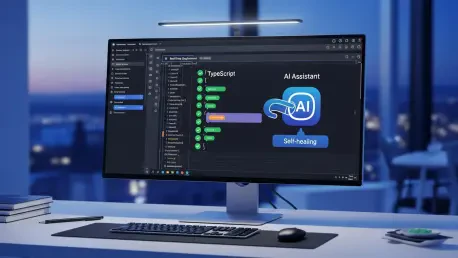

The traditional method of managing software deployments through rigid configuration files has increasingly become a bottleneck for modern engineering teams striving for agility. For years, developers have been forced to navigate a fragmented landscape of third-party tools, external repositories, and complex YAML-based instructions that frequently fail due to minor environment inconsistencies. Cloudflare has responded to this challenge by transforming its global edge network into a unified development environment where storing, building, testing, and deploying code occurs within a single, cohesive ecosystem. This evolution centers on the introduction of Artifacts, a versioned code storage solution designed to handle millions of repositories with high scalability and minimal latency. By integrating the new CI SDK with Cloudflare Workflows, the platform allows developers to replace fragile pipeline definitions with dynamic TypeScript code. This shift not only simplifies the infrastructure but also introduces the concept of self-healing pipelines, where artificial intelligence identifies and resolves build errors in real-time, significantly reducing the manual burden on DevOps teams while ensuring that continuous delivery remains uninterrupted and secure.
1. Establishing the Foundation: Phase 1 Basic CI Job Setup
Initiating a robust continuous integration process within the new Cloudflare environment begins with a structured setup phase designed to eliminate common environment discrepancies. This initial stage requires the clear definition of all necessary tools and utilities that the build environment must possess to execute its tasks successfully. Instead of relying on pre-configured virtual machine images that may contain outdated software, the system allows for the precise specification of test runners, linters, and bundlers directly within the workflow logic. By explicitly defining these dependencies, engineering teams ensure that the environment remains consistent across every execution, regardless of when or where the build is triggered. This level of control is fundamental for maintaining the integrity of the development lifecycle, as it prevents the “it works on my machine” syndrome that often plagues distributed teams. The setup phase effectively creates a reproducible blueprint that the CI SDK uses to provision the exact resources needed for the subsequent build and test operations.
Once the environment is properly established, the focus shifts to the assignment of specific terminal commands that govern the actual execution of the CI pipeline. These commands are the core instructions that the system follows, such as running a build script via a package manager or executing a suite of unit tests. For instance, a typical configuration might involve utilizing a high-performance runtime to execute instructions like building the application or linting the source code for potential errors. The integration of these commands into the CI SDK ensures that each step is tracked and monitored for success or failure. The final component of this phase is the inclusion of an automated deployment trigger, which serves as the bridge between a successful test run and a live production update. Once all previous checks, including security scans and performance audits, have cleared without issues, the system automatically initiates the deployment of the Worker or application. This seamless transition from verification to release reduces the lead time for new features and ensures that only code meeting the highest quality standards reaches the end user.
2. Streamlining Dependencies: Phase 2 Building a Custom CI Workflow
Creating a custom CI workflow using the official SDK involves a more sophisticated approach to handling the external libraries and modules that modern applications require. The first step in this specialized sequence is the comprehensive retrieval of project requirements, which encompasses all external packages necessary for the code to function in a production environment. Unlike traditional systems that might struggle with complex dependency trees, the Cloudflare CI library allows developers to fetch these assets efficiently by leveraging the global edge network. This ensures that the download and installation process is as fast as possible, regardless of the physical location of the build runner. By treating the acquisition of dependencies as a programmable step rather than a static configuration, developers can implement custom logic to handle private registries or specific versioning constraints, providing a level of flexibility that was previously unattainable in standard CI/CD environments.
Following the retrieval of requirements, the workflow must accurately identify the lockfile to ensure that the exact versions of every dependency are maintained across different build cycles. This process is critical for preventing subtle bugs that can arise when minor updates to a library introduce breaking changes. The CI SDK points directly to these tracking files, ensuring that the environment created for the build is an identical mirror of the developer’s intent. To further optimize this process, the system includes a mechanism to save an environment snapshot directly into an R2 storage bucket. This snapshot captures the fully installed dependency tree, allowing every subsequent step in the pipeline to access the necessary files instantly without needing to re-download or re-install them. This caching strategy significantly reduces the overall duration of the CI job, as the overhead of managing thousands of small files is offloaded to a high-performance storage solution. Consequently, subsequent build steps can pull from this pre-verified state, leading to faster iteration cycles and more reliable deployment outcomes.
3. Architectural Integration: Phase 3 Workflow Configuration and Automation
The integration of a pipeline into the Cloudflare dashboard requires a shift from passive configuration to active programming using the CI module. This process begins by importing the necessary components from the official SDK, which provides the framework for defining complex execution logic. The initial execution of the installation step prepares the environment by resolving all necessary dependencies and setting up the runtime context. This programmatic approach allows for the implementation of conditional logic, where different installation paths can be taken based on the branch or the type of event that triggered the workflow. Once the environment is ready, the system prioritizes the isolation of build and check tasks into secure sandboxes. Each operation, whether it is a security audit, a type-checking routine, or a documentation generator, runs in its own protected space. This isolation prevents one task from interfering with another and ensures that the failure of a non-critical check does not necessarily halt the entire pipeline unless explicitly configured to do so.
Automation is further enhanced by enabling parallel processing, which allows multiple validation tasks to run simultaneously. By utilizing standard programming patterns such as grouping checks within a collective execution promise, the system can reduce the total wait time by the sum of all individual tasks. This is particularly beneficial for large-scale projects with extensive test suites that would otherwise take a significant amount of time to run sequentially. To ensure that these workflows are triggered at the correct moment, the configuration file for the project is updated to include specific event fields. These triggers link the workflow to version control events, such as a code push or a pull request, ensuring that the CI process is an inherent part of the development cycle. Finally, the infrastructure is fortified by connecting necessary resource bindings, including Artifacts for code storage, R2 for caching, and Durable Objects for maintaining state. This holistic integration ensures that the CI/CD pipeline is not just an external tool but a native extension of the application’s own infrastructure.
4. Implementing Resilience: Phase 4 Setting Up AI-Driven Error Correction
The introduction of self-healing capabilities marks a significant advancement in the resilience of deployment pipelines, moving beyond simple error reporting to active problem resolution. To enable this functionality, the system requires the attachment of a Durable Object, which serves as the persistent state manager for the AI agent. This specialized object keeps track of the build history, the specific errors encountered, and the context of the code changes, providing the AI with the necessary information to make informed decisions. Following the establishment of this stateful connection, the construction of the repair agent involves extending a dedicated class and selecting a specific large language model to drive the fixes. This agent acts as a virtual site reliability engineer, capable of analyzing stack traces, log outputs, and source code to identify the root cause of a build failure. By choosing a model optimized for code understanding, organizations can ensure that the suggested repairs are both syntactically correct and logically sound.
The actual implementation of error handling logic within the pipeline involves wrapping critical steps in a robust try/catch block that intercepts any failures. When a step fails, instead of immediately terminating the job and alerting a human developer, the pipeline passes the error context directly to the AI agent. The agent then analyzes the failure, generates a potential correction, and can even produce a new commit to resolve the issue automatically. This closed-loop system allows the pipeline to “heal” itself from common issues such as missing imports, minor syntax errors, or outdated dependency references. The agent can provide a detailed explanation of the fix it applied, allowing developers to review the change while the build proceeds toward a successful completion. This proactive approach to error management not only saves time but also reduces the cognitive load on developers, allowing them to focus on writing new features rather than debugging environmental or configuration issues that the system can now handle autonomously.
5. Evaluating Impact: Key Advantages of the Workflow Model
Adopting a workflow-based model for continuous integration offers several distinct advantages over traditional methods, particularly in the realm of durability and visibility. Because the system is built on top of a durable execution engine, it possesses the unique ability to survive transient failures and resume progress from the last successful step. If a network interruption or a temporary resource shortage occurs, the workflow does not need to restart from the very beginning. Instead, it maintains its state and retries the specific failed operation, ensuring that the overall process is highly resilient to external disruptions. Furthermore, the accompanying dashboard provides a comprehensive visual monitoring experience, allowing teams to see a step-by-step breakdown of every execution. This includes detailed timing data, input and output values for each stage, and a clear audit trail of the decisions made by the AI healing agent. This transparency is vital for troubleshooting complex pipelines and for understanding exactly where time and resources are being spent during the delivery process.
Another significant benefit is the shift toward code-based customization, which replaces the limitations of YAML with the full power of TypeScript. This allows developers to treat their CI/CD pipelines with the same level of rigor as their application code, including the use of modules, functions, and comprehensive testing. Because the pipeline is programmable, it can easily incorporate complex business logic that would be difficult or impossible to implement in a static configuration file. For instance, a workflow can be programmed to send customized notifications to specific Slack channels, perform intricate security audits based on the contents of a pull request, or even coordinate deployments across multiple regions based on performance metrics. This flexibility ensures that the CI/CD system can evolve alongside the application, adapting to new requirements and security standards without requiring a complete overhaul of the delivery infrastructure. The ability to integrate these custom logic points directly into the deployment path provides a level of control that significantly enhances the overall security and efficiency of the software supply chain.
6. Strategic Directions: Future Roadmap and Implementation
The trajectory of this platform involves expanding the ecosystem to support even more complex deployment scenarios and sophisticated management tools. Future updates are expected to introduce direct deployment primitives specifically designed for Workers, which will further streamline the process of moving code from a repository to the edge. Additionally, the roadmap includes the implementation of gradual rollout management, allowing teams to release new features to a small percentage of users before a full-scale launch. This capability is essential for minimizing the impact of unforeseen issues in production and for gathering real-world performance data before a wide release. Support for monorepos is also a priority, as larger organizations continue to consolidate their codebases into single repositories that require specialized build and test strategies. By providing native support for these structures, the platform will be able to handle the unique challenges of dependency management and selective testing that come with massive codebases.
The implementation of these advanced CI/CD features provided a clear path for organizations to modernize their deployment strategies by moving away from legacy infrastructure. Engineering leaders took actionable steps to integrate the CI SDK into their existing projects, replacing outdated YAML files with more maintainable and flexible TypeScript workflows. Teams also began utilizing the AI-driven healing agents to manage repetitive build failures, which allowed their developers to dedicate more time to high-value architectural tasks. Looking forward, the integration with external version control systems beyond the native Artifacts solution will allow for even broader adoption, enabling teams to use the platform’s advanced build and test capabilities regardless of where their source code is hosted. By staying informed about these upcoming features and gradually incorporating them into the development lifecycle, organizations ensured that their delivery pipelines remained at the forefront of technological innovation, ultimately leading to more resilient and high-performing software products.