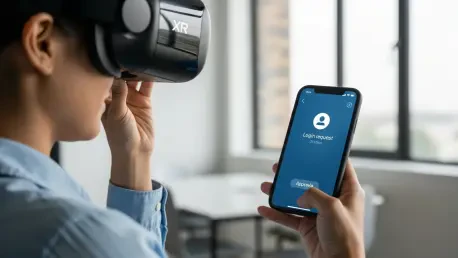

The proliferation of passwordless authentication through passkeys represents a monumental shift towards a more secure and user-friendly digital world, but this evolution has largely been confined to devices with conventional screens. For the rapidly expanding ecosystem of screenless or display-inaccessible devices, such as Extended Reality (XR) headsets, smart home hubs, and industrial Internet of Things (IoT) sensors, the standard authentication flow hits a hard wall. The typical cross-device passkey process, which relies on a user scanning a QR code with their mobile phone, is fundamentally incompatible with a device that cannot render one. This limitation has created a significant barrier to deploying phishing-resistant, cryptographic security on these next-generation platforms. A novel approach has been developed that cleverly bypasses this obstacle, adapting the FIDO Alliance’s established protocols to facilitate secure, cross-device authentication without requiring an on-device display, all while upholding stringent trust and proximity requirements. This innovation not only solves a critical usability challenge for the XR space but also provides a blueprint for bringing robust, passwordless security to a vast new category of connected hardware.
1. The Authentication Obstacle for Display-Free Devices
The standard cross-device authentication flow, championed by the FIDO Alliance and integrated into major operating systems, is elegantly designed around two core mechanisms that presume the presence of a screen. The first is QR code scanning, where the device initiating the login (like a desktop computer) displays a unique, temporary QR code. A user then scans this code with their mobile device, which acts as the authenticator. This scan transmits essential session data, securely linking the two devices to begin the passkey verification process. The second mechanism involves local communication protocols like Bluetooth Low Energy (BLE) or Near Field Communication (NFC), which establish proximity and ensure the user’s authenticator device is physically near the machine requesting access. This combination provides a user-friendly and secure experience, as the visual confirmation of the QR code combined with the proximity check gives users clear assurance that they are approving a legitimate request. The entire workflow is built on this synergy between visual data transfer and local wireless communication, making it highly effective for traditional computing environments but inherently problematic for hardware that lacks a screen.
For devices with no display or an inaccessible one, such as a head-mounted XR device, the entire QR code-based model collapses. It is simply impossible to present a visual code for a mobile camera to scan. While proximity-based discovery through BLE or NFC remains technically feasible, relying on it alone introduces significant security and usability vulnerabilities. Without any on-device visual feedback, a user receiving a prompt on their phone has no clear way to verify the authenticity of the request or confirm they are interacting with the correct device. This ambiguity could lead to user confusion, where they might accidentally approve a malicious request from a nearby attacker’s device. It also introduces friction, as the user lacks the explicit assurance that comes from the deliberate action of scanning a code on the target device. Establishing a secure connection requires more than just proximity; it demands unambiguous user intent and a clear confirmation loop, which are precisely the elements that a screenless interface struggles to provide through conventional methods. This challenge necessitates a completely new way of initiating the secure exchange of information.
2. A Companion App Solution for Secure Messaging
The innovative solution to this screenless dilemma pivots away from visual codes and instead leverages the power of a companion application. The core concept is to use a pre-existing, trusted channel between the XR device and the user’s mobile phone to transmit the authentication request securely. In this model, an application like the Meta Horizon app, which is already installed on the user’s phone and linked to the same account as their headset, serves as a secure message transport. Instead of rendering a QR code, the XR device generates the same critical session data—a cryptographic nonce that identifies the unauthenticated client—and securely packages it. This payload is then sent directly to the companion app through an authenticated push channel. By using this established connection, the system bypasses the need for a camera or a screen, effectively replacing the public, visual act of scanning a QR code with a private, authenticated data transfer between two devices registered to the same user. This approach maintains the security principles of the original flow while adapting the delivery mechanism for the unique constraints of screenless hardware.
From a user experience perspective, this companion app-based method is designed to be both intuitive and secure, minimizing friction while keeping the user in full control. When a passkey login is initiated on the XR device, the companion app on the phone generates an in-app notification, alerting the user that a login request is pending. Tapping this notification takes them directly into the application and immediately initiates the operating system’s native passkey approval interface, where they can verify with their biometrics or PIN. This flow feels natural and mirrors other common mobile interactions, making it easy for users to navigate. The system also accounts for scenarios where notifications might be disabled; in such cases, simply launching the companion app triggers a check for any pending authentication requests. The app launch itself, whether prompted by a notification or initiated manually, serves as an act of user intent, which is then followed by the explicit biometric verification step required by the mobile OS. This multi-layered consent process ensures that the login is both intentional and properly authorized, providing a robust and user-friendly alternative to the QR code.
3. Deconstructing the Four-Step Authentication Flow
The technical execution of this process begins when a passkey login is initiated on the XR device, where its browser locally constructs the same cryptographic payload that would typically be embedded within a QR code. This payload includes a fresh Elliptic-curve Diffie–Hellman (ECDH) public key for establishing a secure channel, a session-specific secret, and routing information needed for the subsequent handshake. Rather than rendering this data as a visual image, the browser encodes it into a standard FIDO URL, a mechanism defined within the hybrid transport protocol specifically for initiating cross-device flows. Once this FIDO URL is generated, the headset needs a secure and reliable way to transfer it to the user’s phone. To achieve this, the system utilizes the companion app’s existing authenticated push notification infrastructure. The headset encodes the FIDO URL as structured data within a GraphQL-based push notification, which is then sent to the backend and routed to the correct mobile device. The companion app, already signed in with the same user account, receives this payload and validates the delivery context, ensuring it originated from a legitimate device associated with that user.
After the FIDO URL is securely delivered to the mobile device, the platform’s push service presents it as a standard iOS or Android notification, clearly indicating that a login request is pending. When the user taps this notification, the mobile operating system routes the deep link to the companion app. The app then opens the FIDO URL using the system’s URL launcher, which in turn invokes the native operating system passkey interface. This seamlessly transitions the user into the familiar biometric or PIN verification prompt. Once the FIDO URL is processed, the mobile device begins the standard hybrid transport sequence, which includes broadcasting a BLE advertisement to establish proximity with the XR headset. Upon user approval on the phone, a secure, encrypted tunnel is established between the two devices. The challenge exchange timing is the main distinction from a QR flow: the XR device generates and holds the WebAuthn challenge, the mobile authenticator initiates the secure connection, the challenge is transmitted over the encrypted channel, and upon successful user verification, the phone generates the final assertion response and sends it back to the headset, which forwards it to the server to complete the login.
4. Broader Implications and Future Directions
The successful implementation of this novel method had a significant impact by effectively solving the passkey authentication problem for an entire class of emerging devices. It demonstrated that the core security principles of the FIDO cross-device flow—such as phishing resistance and user-verified proximity—could be preserved even in the absence of a traditional display. By creating a secure pathway through a companion app, this solution paved the way for deploying robust, passwordless authentication across a much wider range of platforms and ecosystems. The implications extended far beyond XR, offering a viable model for countless other screenless IoT products, from smart speakers and connected home appliances to specialized industrial hardware. This work moved the passkey paradigm beyond its origins in mobile and desktop environments, pushing it into the burgeoning world of wearable technology and ambient computing. The approach built upon the foundational work of the FIDO Alliance and mobile operating system partners, contributing to a more versatile and interoperable ecosystem for secure, easy-to-use login experiences for all types of devices.