
Many organizations find themselves tethered to aging software architectures that, while technically functional, have become significant bottlenecks to productivity and employee satisfaction due to their unintuitive interfaces. These legacy systems are often the quiet engines of industry, powering everything from global logistics to electronic medical records, yet they frequently suffer from a decade of technical debt and fragmented design choices. Designers tasked with modernizing these platforms face a unique set of challenges that go beyond mere aesthetics, requiring a deep understanding of business logic and user habits that have solidified over years of daily operation. The friction between modern user expectations and the rigid constraints of a 2018-era backend can create a hostile environment for innovation if not handled with precision and empathy for the existing workflow. Successfully navigating this landscape necessitates a shift in perspective from viewing legacy code as an obstacle to seeing it as a repository of institutional knowledge and critical operational requirements. By approaching the problem with a strategic roadmap that prioritizes stability alongside usability, teams can breathe new life into these “black box” systems without disrupting the very foundations they support. This process involves a meticulous balance of auditing, documenting, and phased implementation to ensure that every improvement adds tangible value to the end user while maintaining the integrity of the underlying business rules. Such efforts are not merely about skinning an old application with a modern UI but rather about untangling the complex web of interactions that define the daily lives of power users who have grown accustomed to the quirks of the original software.
1. Value Current Expertise Rather Than Discarding the Old System
The initial instinct when confronting a slow and outdated system is often to recommend a complete teardown and replacement, yet this approach frequently ignores the immense value embedded in legacy logic. Instead of immediately attempting to scrap the entire system, a more effective strategy involves starting with a comprehensive audit of existing features, workflows, and priorities to understand why the system was built that way in the first place. Legacy systems often contain a decade’s worth of business logic and specialized customizations that users rely on to perform highly specific and critical tasks. These platforms have been refined over years of edge cases and regulatory changes that a new, “clean” system might inadvertently overlook. By valuing the historical context of the software, designers can identify which elements are genuinely broken and which are simply poorly presented. This auditing phase serves as a discovery process that uncovers the hidden requirements that may not be documented in any manual but are essential for the business to function on a day-to-day basis. Recognizing the inherent value of these systems prevents the loss of specialized functionality that provides a competitive edge, ensuring that the modernization effort is additive rather than destructive to the user’s established productivity levels.
Building on this existing foundation helps to minimize risk and prevents the alienation of stakeholders and power users who are often deeply attached to these systems because they are the core of daily operations. In high-stakes environments like financial services or healthcare, the cost of a failed transition is astronomical, making the “big-bang” redesign a dangerous proposition for management to approve. When designers demonstrate respect for the current system’s capabilities, they build the necessary credibility to propose meaningful changes that users will actually embrace. Power users have often spent thousands of hours mastering the shortcuts and workarounds of the current interface; ignoring this expertise can lead to significant resistance during the rollout of a new version. Furthermore, many legacy systems were customized by external vendors who may no longer be available for consultation, leaving the current interface as the only reliable map of the underlying data structures. A strategic approach involves preserving the robust logic of the past while gradually introducing the intuitive design patterns of 2026. This method ensures that the transition feels like an evolution of the user’s tools rather than a forced migration to an unfamiliar and potentially incomplete alternative that lacks the depth of the original platform.
2. Document Operational Procedures and System Interconnections
Successful modernization requires a granular understanding of how the software functions within the broader ecosystem, which begins by identifying exactly how and where the legacy system is being used. This involves tracking user behavior with analytical precision, noting the frequency of specific tasks, the sequence of clicks, and the ultimate desired outcomes that users are trying to achieve. Often, the ways in which employees interact with a system differ significantly from the official training manuals, as people develop their own informal workflows to bypass slow loading times or confusing menus. Mapping these actual behaviors reveals the friction points where the user experience is most severely compromised, allowing design teams to prioritize fixes that will have the greatest impact on efficiency. It is not enough to look at the interface in isolation; one must also observe the environment in which the software operates, such as the multiple tabs or physical spreadsheets that users might use to supplement the system’s deficiencies. This phase of documentation transforms subjective complaints about the system being “bad” into objective data about lost time and specific procedural hurdles that can be systematically addressed during the improvement process.
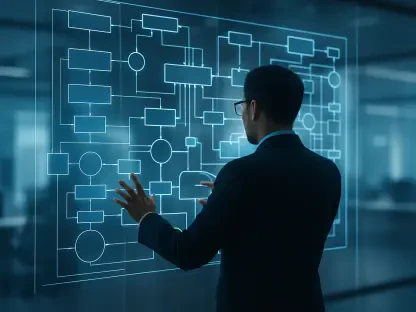
In addition to user behavior, it is vital to visualize the complex web of system interconnections, as the legacy platform likely connects to business dashboards, external agencies, or other aging “black box” databases. Many legacy environments act as a central hub for data that feeds into dozens of downstream applications, meaning a change in one area can have unforeseen ripple effects across the entire organization. Mapping these workflows by consulting with stakeholders and heavy users ensures that no critical background processes are overlooked during the redesign, such as automatic reporting or third-party API integrations. These dependencies are often poorly documented, yet they are what keep the business running behind the scenes. By creating a comprehensive map of these relationships, the design team can identify which parts of the system are safe to modify and which require a more cautious, coordinated effort with the engineering department. This level of technical due diligence prevents the common pitfall of breaking a vital business function in the pursuit of a cleaner user interface. Understanding the full scope of these interconnections allows for a more realistic project timeline and helps in identifying the specific technical constraints that will shape the final design solutions.
3. Select a Transition Approach
Once the system’s scope and dependencies are understood, the next step is to choose a migration path that balances the inherent risks of legacy code with the need for speed and visible progress. A full system overhaul involves replacing everything at once, but this is a high-risk, expensive endeavor that can take years to complete while providing no intermediate value to the users. In contrast, a step-by-step replacement strategy focuses on retiring small fragments of the legacy system and replacing them with new designs over time. This approach provides quick improvements and allows for frequent feedback, though it can result in a temporary “Frankenstein” interface where modern elements sit awkwardly alongside older components. Another viable option is the concurrent system rollout, where a new version is run in public beta alongside the old one, allowing users to opt-in and help shape the design through their usage patterns. This method is particularly effective for large-scale enterprise tools where different departments may have varying levels of readiness for a new interface. It provides a safety net for those who need the old system for specific tasks while allowing early adopters to benefit from the improved user experience immediately.
For organizations that cannot afford the maintenance costs of two separate systems, a phased simultaneous transition or a visual refresh might be the more appropriate choice. A phased transition involves building a new product that meets all the old requirements from day one and allowing power users to switch between the two until the new system is proven to be stable. This ensures that no functionality is lost during the switch and provides a clear path toward the eventual retirement of the legacy codebase. Alternatively, a visual refresh with concurrent testing allows for minor UI tweaks on the old system to align the look and feel with modern standards while the heavy lifting of a new backend occurs in the background. This “lipstick on a pig” approach, while often criticized, can significantly improve user morale by making a clunky system feel more modern and professional without requiring a massive architectural shift. Each of these strategies carries its own set of trade-offs regarding cost, user disruption, and technical complexity. Selecting the right one depends on the organization’s tolerance for risk and the specific technical debt accumulated over the years. The goal is to create a predictable roadmap that delivers continuous value rather than a distant, single-point-of-failure launch date.
4. Foster Collaborative Relationships and Ownership
Because legacy projects involve the “heart” of the business, they often face significant skepticism and fear from leadership and long-term employees who worry about the disruption of critical services. To overcome this resistance and ensure long-term success, it is essential to share ownership of the project with key stakeholders and the actual users who will be living with the new interface every day. This collaborative approach involves including these individuals in the design process from the very beginning, treating them as subject matter experts whose input is vital to the project’s integrity. When stakeholders feel like they are co-creators of the solution rather than passive recipients of a forced change, they are more likely to advocate for the project during difficult phases of development. This shared ownership helps to align the design goals with the actual business objectives, ensuring that the resulting user experience improvements are not just aesthetically pleasing but also functionally superior. By establishing clear lines of communication and a transparent decision-making process, the design team can navigate the inevitable political and technical hurdles that arise when modifying deeply entrenched systems.
Practical implementation of this collaboration often involves running pilot programs to prove that the new system works in a real-world environment before a full-scale rollout. These pilots provide a controlled setting to identify bugs and usability issues that may not have surfaced during internal testing, allowing the team to refine the product based on actual user feedback. Frequent progress reports and demonstrations are also necessary to maintain momentum and reassure leadership that the project is delivering tangible results. Intense phases of testing with actual users are not optional; they are a fundamental requirement for ensuring that the new system runs perfectly from the moment it is fully launched. During these sessions, designers should focus on whether the new system actually improves the speed and accuracy of the users’ most frequent tasks. If the new design is beautiful but makes a common task take three extra clicks, the project will be viewed as a failure by the people who use it. Building trust through consistent delivery and a commitment to solving real user pain points is the only way to successfully transition a legacy system into the modern era. This human-centric approach transforms a technical migration into a successful organizational evolution that empowers employees and secures the future of the enterprise.
A Strategic Path Forward for System Evolution
The process of modernizing legacy systems was defined by a shift from viewing old software as a burden to recognizing it as a vital foundation for future growth. By carefully auditing current features and respecting the institutional knowledge of power users, organizations successfully avoided the pitfalls of disruptive “big-bang” redesigns that often ignored essential business logic. The documentation of complex dependencies and user behaviors provided a clear map for the technical teams, ensuring that no critical processes were lost during the transition. Various migration strategies, ranging from incremental updates to parallel system rollouts, allowed for a flexible approach tailored to the specific risk tolerance and operational needs of the business. Throughout this evolution, the constant involvement of stakeholders and users fostered a sense of shared ownership that was crucial for overcoming the initial skepticism toward changing long-standing workflows. This collaborative environment ensured that every design choice was grounded in the reality of the user’s daily tasks rather than abstract aesthetic preferences.
Moving forward, the focus must remain on maintaining the momentum of these improvements through a culture of continuous iteration rather than treating the project as a one-time event. The lessons learned during the migration should inform how new features are added, prioritizing modularity and user feedback to prevent the accumulation of new design debt. Teams should establish regular review cycles where power users can report on how the updated system is performing in the context of shifting market demands and internal procedural changes. Investing in ongoing training and documentation will ensure that the modernized system remains accessible to both veterans and new employees, preventing the return of “black box” knowledge gaps. Furthermore, the technical architecture should be monitored to ensure that the backend remains as agile as the new frontend, allowing for faster updates in response to future technological advancements. By treating software as a living entity that requires constant care and refinement, organizations can ensure that their core systems continue to provide a high-quality user experience that supports long-term operational success and employee satisfaction.