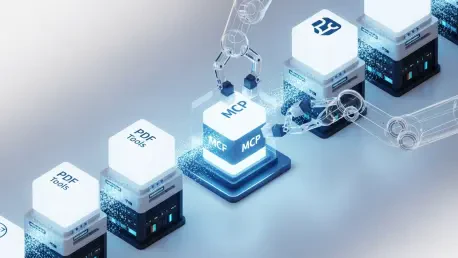

As the industry advances through 2026, the primary challenge for developers has shifted from simple document digitization to the intelligent orchestration of complex workflows through autonomous AI agents. Integrating these agents with document services traditionally required an exhaustive amount of manual plumbing, involving the creation of repetitive logic for every REST endpoint, managing long-polling status checks for asynchronous tasks, and handling authentication tokens across diverse environments. This friction often stifled the potential of large language models because the cognitive load of managing technical infrastructure outweighed the creative application of the AI. The Foxit PDF API MCP Server addresses this specific bottleneck by providing a standardized bridge that allows AI agents to interact with more than 30 professional PDF tools directly through the Model Context Protocol. By abstracting the underlying REST mechanics into a unified set of callable tools, developers can now empower their AI systems to perform high-level document manipulation, from structural analysis to electronic signatures, using natural language or structured internal reasoning.
The transition toward agentic document management represents a significant departure from the rigid, code-heavy automation strategies that dominated previous years. In this new paradigm, the Model Context Protocol serves as the connective tissue between a host application and a service provider, ensuring that the AI has a clear understanding of the capabilities at its disposal. Instead of hard-coding every possible interaction, an agent can now query the MCP server to discover its toolset, understand the required parameters through JSON schemas, and execute operations such as format conversion or OCR in a modular fashion. This flexibility is essential for dynamic environments where document types and processing requirements change rapidly. By eliminating the need to write custom handlers for every API call, the Foxit MCP Server allows for a more fluid interaction between humans, AI agents, and document ecosystems, effectively turning a static PDF into a programmable asset that can be queried, modified, and verified with minimal human intervention.
1. Decoding the Model Context Protocol Architecture
The Model Context Protocol establishes a sophisticated tripartite architecture that redefines how software interfaces with artificial intelligence by delineating clear roles for the host, the server, and the tools themselves. At the center of this ecosystem is the host, which functions as the runtime environment for the large language model, such as Claude Desktop, VS Code with GitHub Copilot, or Cursor. The host is responsible for maintaining the conversational context and determining precisely when an external tool should be invoked to fulfill a user’s request or complete a complex task. By acting as the primary orchestrator, the host ensures that the AI agent has the necessary permissions and environment to function. This structural separation allows the host to remain agnostic to the specific technical implementation of the tools, focusing instead on the high-level intent of the agent and the seamless integration of results back into the primary workspace.
Complementing the host is the MCP server, which acts as the capability provider and the technical bridge to underlying services like the Foxit cloud infrastructure. The server is a discrete process that publishes a catalog of available tools over the MCP protocol, translating the host’s requests into specific API calls that the service can understand. In the case of the Foxit PDF API MCP Server, it absorbs the complexity of the Foxit PDF Services API, handling the intricacies of session management and data transport behind the scenes. The individual tools within this server are the functional units of the system, each meticulously described by a JSON schema that outlines the required inputs and expected outputs. This descriptive layer is what allows the host’s AI to understand how to use each tool without needing prior training on the specific API. The host simply reads the schema, realizes it needs a PDF-to-Word conversion, and supplies the necessary document identifiers to the server to trigger the operation.
2. Mastering the Installation and Registration Process
Establishing a functional connection between an AI host and the Foxit PDF services requires a methodical approach to installation that begins with acquiring the necessary repository and configuring the host environment. Developers must first secure the Foxit MCP server source code from the official repository and ensure their local system is equipped with the appropriate runtimes, such as Python 3.11 or Node.js 18. This setup phase is critical because it prepares the local machine to host the server process that will communicate with the AI application. Once the source code is in place, the next step involves preparing the host’s configuration file to recognize the new server. For instance, when using Claude Desktop, this involves locating the specific JSON configuration file tucked within the application support directories and preparing it for a new server entry that will define how the host launches the Foxit subprocess.
After the initial file preparation, the actual registration involves inserting the server’s execution details into the configuration, including the command paths and essential environment variables. This part of the process requires the inclusion of a Foxit developer client ID and client secret, which act as the credentials for all subsequent cloud API calls. It is highly recommended to manage these credentials through system environment variables rather than hard-coding them into the configuration file to maintain a high security posture within the development environment. Once the configuration file is saved with the correct paths to the server’s directory and the necessary authentication keys, the host application must be completely restarted. This restart triggers the host to scan the configuration, spawn the Foxit MCP server as a local subprocess, and establish a communication channel over standard input and output. Verification of a successful setup can be performed by navigating to the developer or connectors tab within the host, where the full list of more than 30 PDF tools should now be visible and ready for the AI agent to utilize.
3. Navigating the Expansive Tool Catalog Categories
The capabilities provided by the Foxit MCP Server are organized into several logical categories that cover the entire lifecycle of document management, starting with fundamental file operations and extending to advanced security and inspection. The file management category serves as the entry point for all workflows, offering tools for uploading various document types—including Office files, images, and HTML—to the cloud and retrieving them once processing is complete. Each upload generates a unique document identifier that acts as a handle for all subsequent operations, ensuring that the AI agent can track a file through a multi-step pipeline without losing context. This structured approach to document lifecycle management allows agents to maintain a clean workspace and ensures that temporary files are handled efficiently throughout the session.
Beyond basic management, the catalog features specialized tools for PDF generation, format conversion, and content modification that empower agents to transform documents according to specific needs. For example, an agent can convert a raw URL into a professionally formatted PDF or take a complex PDF and export it back into editable Word or Excel formats for further data manipulation. Modification tools allow for the merging of multiple documents, the splitting of large files into smaller segments, and the compression of high-resolution PDFs to optimize them for web delivery or email attachments. Additionally, the catalog includes robust document inspection and protection features, such as optical character recognition for scanned images and structural analysis for identifying tables and headings. These advanced tools enable the AI to “read” and understand the layout of a document, while security tools like encryption and watermarking ensure that sensitive information remains protected throughout the automated workflow.
4. Executing an Automated Sales Contract Workflow
A practical application of the Foxit MCP Server can be seen in the automation of a sales contract workflow, where an AI agent manages the transition from a raw template to a legally binding signed document. This process begins with the agent uploading a Word-based contract template and utilizing the PDF generation tools to convert it into a standardized PDF format. Once converted, the agent can invoke structural analysis tools to examine the document’s layout, identifying specific sections such as the pricing table, the parties involved, and the required signature blocks. This step is crucial because it allows the agent to gain a semantic understanding of the document, ensuring that it can accurately place data or verify that all necessary clauses are present before proceeding to the finalization stage.
Building on this understanding, the agent then leverages the Document Generation API to inject dynamic data—such as specific client names, finalized price points, and custom dates—directly into the PDF template. This creates a tailored contract that is ready for review and execution. The final stage of the workflow involves transitioning the document to the eSign API, where the agent creates a signing folder and distributes the contract to the relevant stakeholders for electronic signatures. Although the eSign service operates as a separate REST interaction outside the core MCP tools, the agent can coordinate the entire sequence within a single session, moving from conversion to generation and finally to signing. This end-to-end automation demonstrates how AI agents can handle complex, multi-step business processes with precision, reducing the time from negotiation to contract execution while maintaining high levels of accuracy and compliance.
5. Implementing Best Practices for Robust Environments
To ensure that AI-driven document workflows remain reliable and secure in a production environment, several best practices must be implemented concerning error management and context handling. High-volume document processing often involves asynchronous tasks that take time to complete, such as complex OCR passes or the merging of hundreds of pages. In these scenarios, it is vital to implement robust polling logic with exponential backoff to check the status of a task without overwhelming the API or the agent’s processing queue. This ensures that the agent remains responsive and can handle temporary network fluctuations or service delays gracefully. Furthermore, managing the sheer volume of data returned by tools like structural analysis is essential; agents should be instructed to filter large JSON outputs to focus only on relevant metadata, preventing the AI’s context window from being flooded with unnecessary technical details.
Security and regulatory compliance form the other pillar of professional implementation, especially when dealing with sensitive legal or financial documents. Developers should ensure that all API interactions are handled through secure channels and that sensitive credentials like client secrets are never exposed within the AI’s prompt context. Wrapping external APIs, such as those for electronic signatures, into custom MCP tools can provide an additional layer of auditing and security, allowing for a more controlled environment where every action taken by the agent is logged and verified. Additionally, organizations must consider data residency requirements by selecting regional host endpoints—such as those in the US or EU—to comply with local privacy laws. By adhering to these standards, teams can build agentic systems that are not only powerful but also meet the rigorous demands of enterprise security and operational reliability.
6. Initiating Immediate Setup and Testing
Starting the journey with AI-driven document automation was simplified through a clear path for immediate setup and verification. The first step taken was the creation of a free developer account on the Foxit portal, which provided the essential client credentials required to access the cloud-based PDF services. By obtaining these keys, the environment was prepared for secure authentication without the immediate need for a financial commitment. Following the account setup, the next phase involved configuring the local development environment by defining the client ID and secret as system variables. This ensured that the host application could securely pass these credentials to the MCP server during initialization, creating a reliable link between the local AI workspace and the powerful document processing tools hosted in the cloud.
The final validation of the system’s readiness was achieved by installing the server and executing a basic tool call to confirm end-to-end connectivity. A common initial test involved requesting the agent to convert a specific web URL into a PDF document, a task that required the agent to select the correct tool, provide the necessary parameters, and handle the resulting file stream. This simple verification successfully demonstrated that the host could communicate with the server and that the server could effectively interact with the cloud API. By completing these initial steps, the foundation was laid for more complex integrations, allowing for the exploration of full-scale automation workflows. This approach shifted the focus from technical configuration to functional application, enabling a rapid transition into building intelligent agents capable of managing professional document ecosystems with ease.