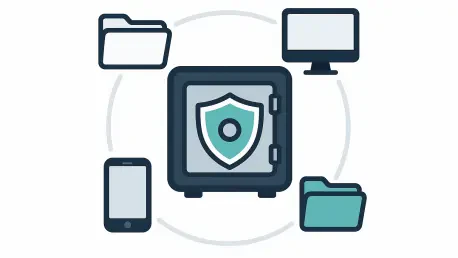

The ability to receive a physical recovery drive remains a vital feature for power users and businesses, as the sheer volume of modern datasets can make cloud-only restoration prohibitively slow. In the digital landscape of 2026, where individual households and enterprises alike manage multi-terabyte libraries of high-resolution media, sensitive financial records, and critical project files, the limitations of standard internet bandwidth have become a significant hurdle for disaster recovery. While fiber-optic infrastructure has expanded significantly, the sheer physics of moving massive amounts of data over a network still poses a risk for those needing immediate access after a total system failure. Consequently, professional backup services have transitioned from being simple storage silos into comprehensive data insurance policies that prioritize speed and accessibility. These services are now essential for mitigating the risks posed by sophisticated ransomware attacks and inevitable hardware degradation, providing a layer of protection that standard consumer-grade cloud storage solutions simply cannot replicate. By focusing on total system mirroring rather than simple file synchronization, dedicated backup providers ensure that a user can return to a functional state with minimal downtime, regardless of the scale of the original data loss event.
Cybersecurity has emerged as the primary motivator for the widespread adoption of professional backup services among modern computer users. With global costs from ransomware reaching tens of billions of dollars, data preservation has evolved from a matter of convenience to a requirement for business continuity and personal security. Reliable services in 2026 prioritize background automation, ensuring that information is protected in real-time without the need for manual user input, which often leads to errors or forgotten updates. This automated approach is critical because modern threats often target the very files users are currently working on, making manual weekly backups obsolete and dangerous. A critical part of any recovery strategy is understanding the difference between dedicated cloud backup and standard cloud sync tools. While tools like Google Drive or Dropbox are excellent for daily collaboration and file access, they often lack the comprehensive mirroring needed to rebuild a system after a total loss. Dedicated backup services provide deep versioning history and protect system-level files, allowing users to roll back their entire digital environment to a healthy state following a malicious attack or a catastrophic software error that would otherwise corrupt synchronized cloud folders.
In-Depth Review of Top-Tier Backup Services
IDrive: The Multi-Device Standard
IDrive stands as the premier choice for 2026 due to its versatile pooled storage model, which addresses the reality of the multi-device household. In a time when most families manage several computers, tablets, and mobile devices simultaneously, IDrive allows users to protect an unlimited number of machines under a single storage plan. This approach provides significant financial value compared to many competitors that still charge on a per-device basis, which can quickly become cost-prohibitive for larger households or small businesses with extensive hardware inventories. By allowing users to manage their entire digital footprint from a single dashboard, IDrive simplifies the administrative overhead of data protection, ensuring that no single device is left vulnerable to local failures or theft. The flexibility to allocate storage as needed across various platforms makes it a highly efficient solution for the modern user who frequently transitions between different operating systems and hardware configurations throughout their daily routine.
Security is another area where IDrive excels, offering robust client-side encryption with an optional private key that guarantees a high level of data sovereignty. This zero-knowledge framework ensures that only the user possesses the means to decrypt and access their data, keeping it private even from the service provider itself, which is a critical consideration in an era of heightened privacy awareness. While the software interface contains a substantial array of features that may require some time for beginners to master, the emphasis on privacy and granular control remains a major selling point for power users and those handling sensitive professional information. To address the persistent limitations of home internet speeds for massive data sets, the company provides a specialized physical recovery service known as IDrive Express. If a user suffers a massive data loss involving several terabytes of information, the company can ship a physical hard drive containing the backup to the user’s location via courier. This significantly reduces the time it takes to restore a system, effectively bypassing the bottlenecks often associated with downloading large datasets from the cloud and ensuring that even the largest archives are recoverable within days rather than weeks.
Backblaze: Simplicity and Transparency
Backblaze is designed for those who want a streamlined, set-it-and-forget-it experience without the burden of complex manual configurations or technical hurdles. For a flat monthly fee, it offers truly unlimited storage for a single computer, which is an ideal arrangement for creative professionals or researchers who maintain massive local drives full of high-resolution video or large datasets. The service is widely respected within the industry for its transparency, as the company frequently publishes detailed reports on the reliability and failure rates of its storage hardware. This commitment to transparency builds a high level of trust with users, as they can see exactly what kind of infrastructure is being used to safeguard their most important digital assets. The installation process is notoriously simple, often requiring only a few clicks to begin a full system scan and backup, making it the go-to recommendation for users who want reliable protection without having to navigate a maze of technical settings or advanced administrative options.
The primary trade-off with Backblaze in 2026 remains its single-device limitation, as users with multiple machines must pay for separate subscriptions for each individual computer they wish to protect. This can make the service more expensive than pooled storage models for power users who maintain extensive hardware setups across multiple offices or home environments. Additionally, while the service is exceptionally easy to use for standard backups, it lacks some of the deep customization features and comprehensive free tiers found in other leading platforms that cater more specifically to the enthusiast market. Mobile backup capabilities are also somewhat limited compared to more integrated competitors, as Backblaze focuses primarily on the desktop environment where the bulk of a user’s primary data usually resides. Despite these limitations, its combination of unlimited capacity and a high-performance restoration engine makes it a formidable contender for individuals who prioritize simplicity and cost-predictability for their primary workstation above all other factors.
Acronis and Carbonite: Security and Ease
Acronis Cyber Protect Home Office has shifted the market toward an integrated security model that combines traditional backup with active antivirus shields. This “fortress” approach attempts to stop threats like ransomware and malware before they can even affect the system, while keeping a full-disk image ready for immediate restoration if a breach occurs. By monitoring the system for suspicious file modifications in real-time, the software can automatically block malicious processes and even restore files that were briefly affected by a detected threat. While the software has a larger system footprint and requires more processing power than some of its leaner competitors, it provides the most robust set of recovery tools for users who want to migrate an entire operating system to new hardware with minimal configuration. This “universal restore” capability is particularly valuable for users who frequently upgrade their hardware and want to avoid the tedious process of reinstalling every application and setting from scratch.
Carbonite remains a consistent choice for non-technical users who value simplicity and reliable customer support above all else. Its value is found in its quiet, background operation that requires almost no management from the end user once the initial installation is complete. The software uses color-coded icons in the file explorer to indicate which files have been successfully backed up, providing immediate visual confirmation that data is safe. The company also highlights the human element of its service, offering dedicated assistance for malware-related restorations and courier services for physical data recovery when an online download is not feasible. For individuals who may feel overwhelmed by the technical aspects of data recovery, Carbonite’s support-heavy approach offers a sense of security that goes beyond the software itself. While it may not offer the fastest upload speeds in the industry, its reliability and ease of use make it a staple for home users and small office environments where time is better spent on work rather than managing IT infrastructure.
Targeted Solutions for Businesses and Privacy
CrashPlan: Endpoint Protection for Teams
CrashPlan is the preferred choice for small businesses and remote teams that need to protect multiple employee devices through a centralized management interface. Its architecture is built around the concept of the “endpoint,” allowing a central administrator to manage backup policies across different operating systems like Windows, Mac, and Linux from a single web-based console. This ensures that company data is consistently protected regardless of where an employee is working, whether they are in a traditional office or a remote home environment. For administrators, the ability to lock certain settings ensures that employees do not accidentally disable their backups, maintaining a consistent security posture across the entire organization. This level of oversight is essential for businesses that must comply with data retention regulations and internal security audits, as it provides a clear audit trail of which devices are being backed up and when the last successful snapshots were taken.
One of the most valuable features of CrashPlan in 2026 is its unlimited versioning, which allows users to recover files from virtually any point in the past. If a business discovers that a file was corrupted or accidentally modified weeks or even months ago, the platform makes it easy to find and restore a clean copy from that specific date. This level of historical depth is essential for organizations that need to maintain high levels of data integrity and operational resilience in a fast-paced work environment. The service also empowers individual employees to handle their own file restorations through a simple interface, which significantly reduces the workload on internal IT departments. By streamlining the recovery process and providing self-service tools, CrashPlan helps businesses return to full productivity quickly after minor accidents or hardware malfunctions. This combination of centralized administrative control and user-level autonomy makes it a highly efficient and scalable tool for growing companies that cannot afford the downtime associated with traditional manual recovery methods.
Niche Alternatives for Privacy and Value
For users looking to avoid the cumulative costs of recurring monthly subscriptions, pCloud offers a unique lifetime payment model that has gained significant traction. By paying a one-time fee, users can secure large amounts of storage for the duration of their account’s life, which serves as an effective way to combat the subscription fatigue that has permeated the software industry. While the platform is excellent for long-term media storage and basic file synchronization, it does lack some of the more specialized disaster-recovery features like full system imaging or the ability to request a physical hard drive for emergency restoration. This makes it a better fit for users who already have a local backup strategy in place and are looking for a permanent cloud-based secondary repository for their archives. The platform also offers high-speed servers and an integrated media player, making it a popular choice for photographers and videographers who need to access their portfolios from any device without worrying about ongoing monthly overhead.
Proton Drive caters specifically to the segment of the market where privacy and data sovereignty are the primary concerns. Utilizing end-to-end encryption by default, the service ensures that files are encrypted locally on the user’s device before they are ever uploaded to a server, meaning that not even the service provider can see the content of the files. This Swiss-based service benefits from some of the strongest privacy laws in the world, providing an extra layer of legal protection for sensitive data. Recent infrastructure updates have significantly improved upload and download speeds, addressing previous industry concerns about the performance costs associated with high-level encryption protocols and making it a viable alternative for the security-conscious professional. While it may not yet offer the same breadth of features as a dedicated recovery tool like IDrive, its commitment to a zero-knowledge architecture makes it the gold standard for those who prioritize confidentiality above all else. For activists, journalists, and legal professionals, the peace of mind offered by Proton’s transparent and open-source security model is often worth the trade-off in specialized recovery features.
Mainstream Options and Emerging Trends
Major Tech Ecosystems and Sync Services
Many users continue to rely on Google Drive or Microsoft OneDrive because these services are already deeply integrated into the existing productivity suites they use for daily work. Google Drive remains the leader for live document collaboration, allowing multiple users to edit files simultaneously with minimal latency, while OneDrive offers the tightest integration for Windows users, including proactive ransomware detection that alerts users to suspicious file changes. However, it is important for users to recognize that these services are primarily designed for syncing specific folders rather than performing a comprehensive backup of an entire computer’s operating system and configuration. If a user suffers a total drive failure, a sync service might only return the files that were in the designated folders, leaving the user to manually reinstall every application and reset every system preference. While convenient, these ecosystem tools are best viewed as productivity enhancers rather than a complete safety net for disaster recovery.
Dropbox continues to hold a strong position in the market due to its exceptional ease of use and advanced file-sharing capabilities that have become a standard in creative industries. Its “Rewind” feature provides an important layer of protection by allowing users to roll back their entire account to a previous state if they suffer a mass deletion event or accidental data corruption. This feature bridges the gap between simple synchronization and dedicated backup by providing a time-travel mechanism for digital assets. Furthermore, Dropbox’s integration with a vast array of third-party applications makes it a central hub for many professional workflows, ensuring that files are accessible across different creative platforms. However, like other sync services, it lacks the system-level imaging required for a true bare-metal restoration, meaning it should ideally be used alongside a dedicated service like IDrive or Backblaze. This multi-layered approach ensures that files are always available for collaboration while the entire system remains protected against more catastrophic events.
Evolving Industry Standards for 2026
A major trend in 2026 is the convergence of data storage and active cybersecurity, where providers are no longer just passive repositories for files but active participants in system defense. Modern backup services now frequently include built-in scanners that monitor for malware and ransomware signatures, providing a proactive defense that helps prevent data loss before it can happen. This shift toward “cyber protection” reflects a market reality where prevention is just as important as the ability to restore files after an incident. By integrating these features, backup providers offer a more holistic security solution that simplifies the tech stack for users who might otherwise have to manage multiple separate security subscriptions. This integration also allows for more intelligent backup schedules, where the software can trigger an emergency snapshot if it detects a high-risk activity or a potential threat on the local network, ensuring that the most recent data is safe.
Privacy has also transitioned from a premium feature to a fundamental industry standard, driven by a more informed and cautious public. Users in 2026 increasingly demand zero-knowledge architectures where the provider cannot access or decrypt stored files under any circumstances, including legal requests or internal breaches. As a result, the most reputable services have made high-level encryption a default part of their offering rather than an optional add-on. Despite the growth of high-speed internet, physical recovery remains a critical feature for managing the massive data volumes of the current era. The sheer size of today’s hard drives, often reaching double-digit terabytes for professional setups, makes cloud-only restoration too slow for emergency situations where time is a critical factor. Services that maintain the logistical capability to ship physical drives directly to a user’s door continue to be seen as the most reliable options for total system recovery, providing a physical fail-safe that purely digital services cannot match.
Strategic Selection for the Modern User
The process of choosing the right backup provider reached a turning point where users had to prioritize their specific digital footprint over generic recommendations. Individuals who maintained a single, high-capacity workstation often found that Backblaze offered the best balance of cost and capacity, while those who managed an entire family’s worth of diverse hardware discovered that IDrive’s pooled model was far more efficient. Small businesses and security enthusiasts were better served by the advanced administrative management and active threat detection found in CrashPlan or Acronis. It became clear that a one-size-fits-all approach no longer sufficed in a world where data types and security requirements varied so wildly between different types of users. Analysts observed that the most successful users were those who matched their backup service to their most likely failure scenarios, whether that was accidental deletion, hardware theft, or a large-scale ransomware attack.
The industry solidified the 3-2-1 rule as the standard for data resilience, requiring three copies of data on two different types of media, with at least one copy stored off-site. A reputable online backup service fulfilled the critical off-site requirement, providing a vital safety net against local disasters like fire, flood, or theft that could destroy both a primary computer and a local external backup drive. Investing in a paid plan was recognized as a necessary step, as the free tiers offered by many companies were typically too small to accommodate a full system backup of modern operating systems. Ultimately, IDrive was established as the benchmark for the industry due to its comprehensive balance of storage flexibility, strong encryption, and essential physical recovery options. The market moved toward specialized tools for different niche needs, but IDrive provided the most complete protection for the widest range of users. By prioritizing both proactive security measures and reliable restoration methods, the service secured its place as the definitive leader in the online backup space. Individuals were encouraged to audit their data storage needs immediately and implement a robust recovery plan to ensure their digital lives remained intact regardless of future technical challenges.